Are you a dedicated gamer who frequently finds themselves battling virtual foes late into the night, sharing a space with others, or streaming content where every click can be a distraction? The incessant click-clack of a traditional gaming mouse can be more than just an annoyance; it can break immersion, disturb roommates, or even disrupt your live stream. The good news is, you no longer have to sacrifice performance for peace. Quiet gaming mice offer the precision, responsiveness, and features you demand, all wrapped up in a package that keeps the noise to a minimum. This guide will delve into everything you need to know about quiet gaming mice, helping you choose the perfect companion for your silent conquests.
What is a Quiet Gaming Mouse? Why They Matter
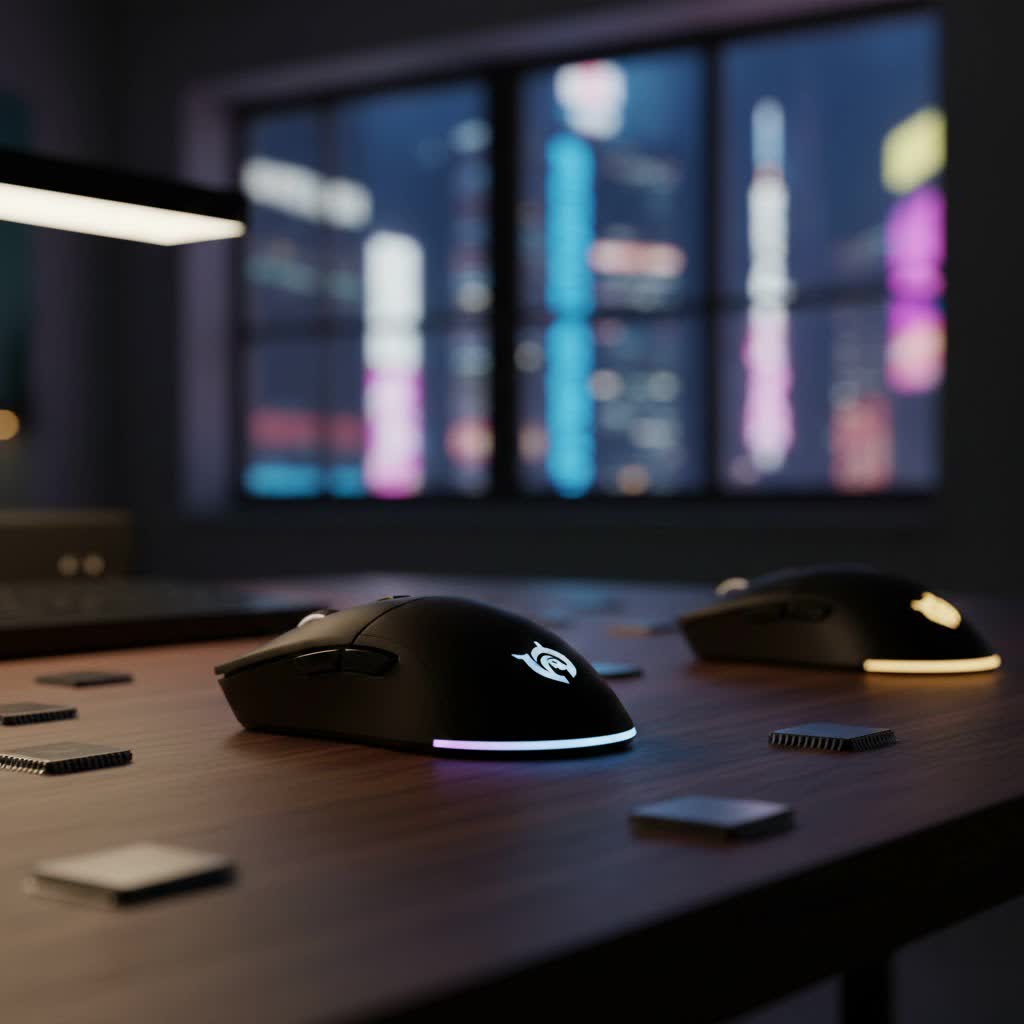
At its core, a quiet gaming mouse is engineered to reduce the audible sound produced by its buttons, particularly the left and right clicks, and often the scroll wheel and side buttons as well. Unlike standard gaming mice that use conventional mechanical switches known for their distinct, loud tactile feedback, quiet gaming mice incorporate specialized silent switches or dampened designs. This difference is crucial for gamers seeking a non-disruptive environment, whether they’re aiming for a competitive edge in a quiet household or maintaining a professional audio setup for streaming.
The importance of a quiet gaming mouse extends beyond mere convenience. For streamers, eliminating background click noise ensures a cleaner audio feed, keeping the focus entirely on their commentary and gameplay. For those in shared living spaces, a silent mouse prevents late-night gaming sessions from disturbing others. Even for solo gamers, the reduction in auditory clutter can lead to enhanced focus, allowing for deeper immersion and potentially improved reaction times without the constant, high-pitched distractions.
How Do Quiet Gaming Mice Achieve Silence?
The secret to a quiet gaming mouse lies primarily in its internal switch design and construction. Traditional mice typically use standard mechanical switches that produce an audible “click” when activated. Quiet gaming mice, however, employ several techniques to mitigate this noise:
- Silent Mechanical Switches: Many quiet mice utilize specialized mechanical switches, often from manufacturers like Omron or Kailh, that are designed with dampening mechanisms. These switches still provide a satisfying tactile bump but significantly reduce the auditory output. While not entirely silent, they are dramatically quieter than their standard counterparts.
- Optical Switches: Some newer gaming mice incorporate optical switches, which use an infrared light beam to register clicks. This design inherently reduces the physical contact and debounce delay found in traditional mechanical switches, leading to a faster response time and often a quieter actuation.
- Dampened Design: Beyond the switches, the overall construction of the mouse can contribute to noise reduction. Manufacturers might use sound-absorbing materials within the mouse shell or design the button covers to minimize resonance and impact noise.
- Software and Actuation Force: In some advanced models, software allows for fine-tuning the actuation force required for clicks. While this doesn’t directly silence the mouse, it can allow users to adjust the sensitivity to their preference, potentially reducing accidental clicks and the overall frequency of audible feedback.
It’s worth noting that while these technologies make mice significantly quieter, a “completely silent” click can sometimes feel less tactile or “mushy” to some gamers. Finding the right balance between quiet operation and satisfying feedback is key.
Key Features to Consider When Choosing Your Quiet Gaming Mouse
Selecting the right quiet gaming mouse involves evaluating several critical features to ensure it meets both your silence requirements and your gaming performance needs.
Silent Switches: The Heart of Quietness
|
Our Picks for the Best Gaming Mouse in 2026
As an Amazon Associate I earn from qualifying purchases.
|
||
| Num | Product | Action |
|---|---|---|
| 1 | MechLands AJAZZ AJ139P V3 MC Wireless Mouse with Charging Base, 3 Modes Gaming Mouse with 800mAh Battery, Adjustable 24,000 DPI, PAW3311 Sensor, 1000 Polling Rate, 69g Lightweight, Win/Mac (Black) |

|
| 2 | Logitech G305 Lightspeed Wireless Gaming Mouse, Hero 12K Sensor, 12,000 DPI, Lightweight, 6 Programmable Buttons, 250h Battery Life, On-Board Memory, PC/Mac - Black |
|
| 3 | Logitech G502 Hero High Performance Wired Gaming Mouse, Hero 25K Sensor, 25,600 DPI, RGB, Adjustable Weights, 11 Buttons, On-Board Memory, PC/Mac |
|
| 4 | Redragon M612 Predator RGB Gaming Mouse, 8000 DPI Wired Optical Mouse with 11 Programmable Buttons & 5 Backlit Modes, Software Supports DIY Keybinds Rapid Fire Button |
|
| 5 | Razer Viper V3 Pro Wireless Esports Gaming Mouse: Symmetrical - 54g Lightweight - 8K Polling - 35K DPI Optical Sensor - Gen3 Optical Switches - 8 Programmable Buttons - 95 Hr Battery - Black |
|
| 6 | Razer Basilisk V3 Customizable Ergonomic Gaming Mouse: Fastest Gaming Mouse Switch - Chroma RGB Lighting - 26K DPI Optical Sensor - 11 Programmable Buttons - HyperScroll Tilt Wheel - Classic Black |
|
| 7 | Razer Basilisk V3 X HyperSpeed Customizable Wireless Gaming Mouse: Mechanical Switches Gen-2-5G Advanced 18K Optical Sensor - Chroma RGB 9 Programmable Controls 535 Hr Battery Classic Black |
|
| 8 | Razer DeathAdder Essential Gaming Mouse: 6400 DPI Optical Sensor - 5 Programmable Buttons - Mechanical Switches - Rubber Side Grips - Classic Black |
|
| 9 | Logitech G PRO X Superlight Wireless Gaming Mouse, Ultra-Lightweight, Hero 25K Sensor, 25,600 DPI, 5 Programmable Buttons, Long Battery Life, Compatible with PC/Mac - Black |
|
| 10 | MAMBASNAKE ATTACKSHARK V8 Wireless Ultralight Gaming Mouse with 8K Polling,42000 DPI,Nordic54L15 MCU Chip,PAW3950 Max Sensor-Wired/BT/2.4Ghz,400Hrs Long Battery,Programmable for PC Mac FPS(White+Tape) |
|
As discussed, the type of switches is paramount. Look for mice that explicitly state they use “silent switches” or “noise-reduced” switches. Brands like Logitech often highlight their “Silent Touch” technology, claiming up to 90% less click noise. Understand that while these switches are engineered for quietness, they should still offer sufficient tactile feedback for precise gaming actions. Some gamers may prefer a slightly softer click feel if it means a significantly quieter experience.
Sensor Performance: Precision is Non-Negotiable
Even a quiet mouse needs a top-tier sensor for gaming. Key specifications to consider include:
- DPI (Dots Per Inch) / CPI (Counts Per Inch): This measures mouse sensitivity. Higher DPI means faster cursor movement with less physical mouse movement. Look for adjustable DPI settings, allowing you to fine-tune sensitivity on the fly for different games or tasks. A good gaming mouse offers a wide DPI range, typically from 200 to over 16,000.
- IPS (Inches Per Second) and Acceleration: IPS indicates the maximum speed at which the mouse can be moved while maintaining accurate tracking. High IPS is crucial for fast-paced games where quick, sweeping movements are common. Acceleration refers to whether the sensor adds extra speed based on how quickly you move the mouse; most competitive gamers prefer zero hardware acceleration for consistent 1:1 tracking.
- Sensor Type (Optical vs. Laser): Optical sensors are generally preferred for gaming due to their consistent tracking on various surfaces, while laser sensors can track on more challenging surfaces but sometimes exhibit “acceleration” issues.
Ergonomics and Grip Style: Comfort for Long Sessions
A comfortable mouse is vital for long gaming sessions, preventing fatigue and potential repetitive strain injuries. Consider:
- Hand Size and Shape: Mice come in various sizes. A mouse too large or too small can lead to discomfort.
- Grip Style:
- Palm Grip: The entire palm rests on the mouse. Requires a larger, more contoured mouse.
- Claw Grip: Fingers are arched, with fingertips and the heel of the palm contacting the mouse. Often suits medium-sized, slightly shorter mice.
- Fingertip Grip: Only fingertips touch the mouse, allowing for agile, precise movements. Best with smaller, lighter mice.
- Ambidextrous vs. Ergonomic: Ambidextrous mice are symmetrical, suitable for both left and right-handed users. Ergonomic mice are sculpted specifically for one hand, providing more natural support.
Connectivity: Wired or Wireless?
Both wired and wireless quiet gaming mice are available, each with pros and cons:
- Wired Mice: Offer zero latency, no battery concerns, and are generally more affordable. The downside is cable drag and limited movement.
- Wireless Mice: Provide freedom of movement and a clutter-free desk.
- 2.4 GHz Wireless: Utilizes a dedicated USB dongle, offering very low latency comparable to wired mice, making it ideal for competitive gaming.
- Bluetooth: More versatile, connecting to a wider range of devices without a dongle, but typically has higher latency and is less stable, making it less suitable for critical gaming.
- Battery Life (for Wireless): Look for long battery life, ideally over 100 hours, or options with convenient charging docks or USB-C fast charging.
Durability and Build Quality: Built to Last
Gaming mice endure rigorous use, so durability is key.
- Switch Lifespan: Check the click rating (e.g., 15 million, 50 million clicks) for the main buttons.
- Materials: High-quality plastics, rubberized grips, and braided cables (for wired mice) contribute to longevity.
Weight: Light or Heavy?
Mouse weight is a personal preference that impacts control and speed.
- Lightweight (under 80g): Ideal for fast-paced FPS games where quick flicks and minimal fatigue are desired.
- Medium (80-100g): A balanced choice for various game genres.
- Heavy (over 100g): Some gamers prefer the planted feel and precise control of a heavier mouse, especially in strategy games. Some mice also offer adjustable weights.
Programmable Buttons and Customization Software: Tailored Control
Most gaming mice offer additional programmable buttons beyond the standard left/right clicks and scroll wheel.
- Macro Functionality: Assign complex sequences of actions to a single button press.
- DPI Adjustment: Dedicated buttons for cycling through DPI stages.
- Software Suites: Brands like Logitech G HUB, Razer Synapse, and Corsair iCUE provide extensive customization for button remapping, RGB lighting, DPI settings, and surface calibration.
LED RGB Lighting: Aesthetics and Atmosphere
While not impacting performance or quietness, RGB lighting allows for aesthetic customization to match your setup or mood. Many quiet gaming mice still offer vibrant RGB zones.
Top Quiet Gaming Mice Recommendations
Here are some of the most popular and highly-regarded quiet gaming mice on the market, catering to different needs and budgets:
- Razer Pro Click Mini: Often cited as a top contender, this mouse offers incredibly quiet mechanical switches rated for 15 million clicks, providing a satisfying tactile feel with significantly less noise. It’s sleek, small, and lightweight, making it easy to grip and move effortlessly. It’s a great all-rounder for performance and portability.
- Logitech G305 LIGHTSPEED: A popular choice for its reliable wireless performance, impressive battery life, and comfortable design. While not explicitly marketed as “silent,” its clicks are noticeably quieter than many traditional gaming mice. It features Logitech’s highly accurate HERO sensor, ensuring responsive tracking.
- Mojo Pro Performance Silent: This mouse boasts dramatically silent clicks compared to standard gaming mice. Designed with gaming in mind, it features a quality high-DPI sensor for precision and speed, alongside an ergonomic design for comfort during long sessions. A unique feature is the ability to adjust the pressure needed to click, allowing for fine-tuning to individual preferences.
- Logitech M650: While not strictly a “gaming mouse,” its quiet operation makes it suitable for many game types. It features Logitech’s Silent Touch technology, reducing click noise by 90% compared to standard mice. Its contoured shape, thumb rest, and rubber grips offer excellent comfort and control.
- Logitech MX Master 3S: A premium, ergonomic productivity mouse that stands out for its near-silent operation. It cuts noise by a staggering 90% compared to standard mice, with whisper-quiet left and right clicks and a muted scroll wheel. While a productivity-first mouse, its comfort and quietness make it an option for casual gaming.
- T-Dagger Wireless Gaming Mouse: An excellent budget-friendly option where all seven buttons are silent. This ensures you won’t disturb anyone during late-night gaming. It also features an ergonomic shape with a thumb rest, promoting a natural hand position and reducing fatigue.
- Razer Orochi V2: An ultra-lightweight wireless mouse celebrated for its portability and performance. It uses Razer’s HyperSpeed Wireless technology for low-latency gaming and offers exceptional battery life. Its clicks are relatively quiet compared to other Razer models, making it a good choice for on-the-go silent gaming.
- Corsair Katar Pro Wireless: This mouse delivers a comfortable ergonomic design, responsive wireless performance, and customizable DPI settings. With six programmable buttons and relatively quiet clicks, it’s a solid option for gamers seeking a balance of features and reduced noise.
- Logitech G705: Specifically designed for smaller hands, this small wireless mouse offers a quiet click experience. Its sculpted design welcomes palm, claw, and fingertip grip styles, and it provides LIGHTSPEED wireless and Bluetooth connectivity with a long battery life.
DIY Solutions for Quieter Clicks
For those who already own a favorite gaming mouse but wish for a quieter experience, there are enthusiast-level modifications:
- Hot-Swap PCBs and Silent Switches: Some mice, or aftermarket PCBs for popular models like the Logitech GPX Superlight, allow users to replace the stock switches with silent mechanical switches. This requires some technical skill but offers a highly customized solution, letting you keep your preferred mouse shape and sensor while achieving silence. Silent switches from brands like Huano (e.g., blue shell pink dots) are popular choices for this modification.
Tips for Using and Maintaining Your Quiet Gaming Mouse
To ensure your quiet gaming mouse performs optimally and lasts for years:
- Keep it Clean: Regularly wipe down your mouse with a soft, dry cloth to prevent dust and grime buildup, which can affect tracking and button performance. For stubborn spots, a slightly damp cloth with a mild cleaner can be used, avoiding harsh chemicals. Pay attention to the mouse feet; clean them with a cotton swab and isopropyl alcohol, and replace them if severely worn.
- Use a Suitable Mousepad: A good quality mousepad can enhance tracking accuracy and ensure smooth gliding, contributing to a better gaming experience.
- Update Firmware and Drivers: Manufacturers frequently release firmware updates for mice that can improve performance, fix bugs, and sometimes even enhance battery life or customization options. Always keep your mouse’s software and drivers up to date.
- Proper Storage: When not in use, especially if traveling, store your mouse in a protective case. Keep it away from direct sunlight and extreme temperatures. For wireless mice, ensure the USB receiver is safely stored to prevent loss or damage.
Conclusion
Choosing a quiet gaming mouse means you no longer have to compromise between intense, immersive gameplay and a peaceful environment. With advancements in silent switch technology, ergonomic designs, and high-performance sensors, the market now offers a fantastic range of options to suit every gamer. By considering factors like switch type, sensor performance, ergonomics, and connectivity, you can find a silent companion that enhances your gaming experience without a whisper of unwanted noise. Whether you’re a competitive esports player, a dedicated streamer, or simply someone who appreciates tranquility, a quiet gaming mouse can truly transform your setup. What kind of quiet gaming experience are you hoping to achieve with your next mouse?
Frequently Asked Questions
What makes a gaming mouse “quiet” compared to a regular one?
Quiet gaming mice utilize specialized silent mechanical switches, optical switches, or internal dampening designs that significantly reduce the audible sound of clicks and scrolls. Traditional mice use standard mechanical switches that produce a distinct, louder sound for tactile feedback.
Will a quiet gaming mouse sacrifice performance?
No, not necessarily. Modern quiet gaming mice are engineered to provide excellent performance, featuring high-precision sensors, low-latency wireless connectivity (like 2.4 GHz), and ergonomic designs. While the click feel might be slightly different (less “crisp” but still tactile), core gaming performance remains uncompromised in quality models.
Are silent switches durable enough for intense gaming?
Yes, many silent switches, such as those found in top-tier quiet gaming mice, are rated for tens of millions of clicks, offering comparable or even superior durability to standard mechanical switches. They are designed to withstand the rigorous demands of competitive gaming.
Can I make my existing gaming mouse quieter?
For some mice, particularly popular enthusiast models, you can modify them by replacing the stock switches with aftermarket silent switches and a compatible hot-swap PCB. This process requires some technical skill and can void warranties, but it allows for a highly customized quiet solution.
What is the ideal DPI for a quiet gaming mouse?
The ideal DPI depends on personal preference, screen resolution, and game type. Most quiet gaming mice offer adjustable DPI settings, allowing you to switch between sensitivities ranging from low (e.g., 400-800 for precision aiming in FPS) to high (e.g., 1600-3200+ for faster cursor movement). It’s best to experiment to find what feels most comfortable and responsive for you.
