For years, left-handed gamers have faced a unique challenge: navigating a market predominantly designed for right-handed users. This often meant compromising on comfort, performance, or essential features, forcing southpaws to adapt rather than thrive. But the landscape is evolving, and dedicated Left Handed Gaming Mouse options, alongside versatile ambidextrous designs, are now available to elevate your gameplay. This comprehensive guide will equip you with the knowledge to choose the perfect gaming mouse, ensuring every click and flick feels natural and precise, empowering you to unlock your true gaming potential.
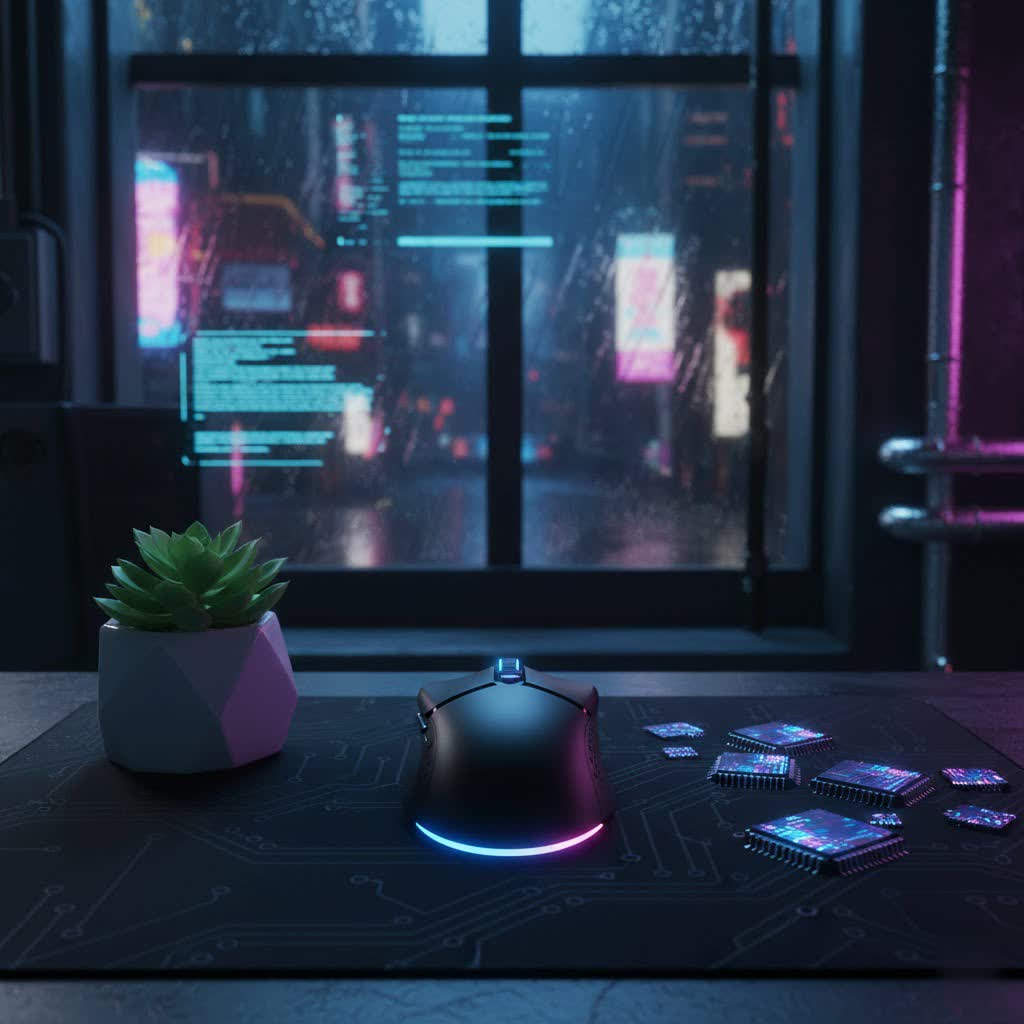
Gaming Mouse: What It Is and Why It Matters for Left-Handed Players
A gaming mouse is a specialized input device engineered for precision, speed, and durability, distinguishing itself significantly from a standard office mouse. Unlike its conventional counterpart, a gaming mouse boasts advanced sensors, faster response times, and customizable features crucial for competitive and immersive gaming experiences. For left-handed players, the importance of a purpose-built or well-adapted gaming mouse is paramount. Using a mouse designed for the wrong hand can lead to awkward grip, limited access to vital buttons, discomfort during extended sessions, and ultimately, hindered performance. The right left handed gaming mouse ensures a natural extension of your hand, offering unparalleled control and comfort.
Popular Types of Gaming Mice for Left-Handed Users
The world of gaming mice offers a variety of designs, each catering to different preferences and needs. For left-handed gamers, understanding these categories is key to finding a suitable match.
-
By Form Factor:
- Ergonomic (Left-Handed Specific): These mice are sculpted to perfectly fit the contours of a left hand, often featuring a pronounced thumb rest on the right side and a shape that naturally supports the palm and fingers. True left-handed ergonomic mice are less common but offer superior comfort for dedicated southpaws.
- Ambidextrous: Characterized by a symmetrical design, ambidextrous mice are shaped to be equally comfortable for both left and right hands. They typically lack deep contours, making them versatile for various grip styles. Many modern “left-handed” options fall into this category, often featuring mirrored side buttons or swappable button modules.
- Vertical: While not exclusively for gaming, vertical mice are designed to promote a more natural handshake posture, reducing wrist strain. Some ambidextrous vertical designs might appeal to left-handed users seeking ergonomic benefits, though they are not typically optimized for competitive gaming.
-
By Connectivity:
- Wired: These mice connect directly to your PC via a USB cable. They offer the most reliable, lag-free connection, often favored by competitive gamers who prioritize absolute responsiveness and never have to worry about battery life.
- Wireless (2.4GHz/Bluetooth): Wireless gaming mice utilize either a 2.4GHz USB dongle for low-latency performance (often proprietary technology like Logitech LIGHTSPEED or Razer HyperSpeed) or Bluetooth for broader compatibility. Advances in wireless technology have significantly reduced latency, making them a viable option even for esports.
-
By Sensor Type:
- Optical: Optical sensors use an LED light to track movement across various surfaces. They are known for their precision and are generally preferred for gaming due to their consistent tracking and resistance to acceleration issues. Most high-performance gaming mice today feature optical sensors.
- Laser: Laser sensors use a laser diode for tracking, often allowing them to work on a wider range of surfaces, including glass. While once considered superior for tracking on diverse surfaces, optical sensors have largely caught up and are generally favored for raw gaming performance.
Detailed Comparison: Ambidextrous vs. True Left-Handed Gaming Mice
The choice between an ambidextrous and a truly left-handed ergonomic mouse is a critical one for southpaw gamers, directly impacting comfort and performance.
| Feature | Ambidextrous Gaming Mouse | True Left-Handed Gaming Mouse |
|---|---|---|
| Shape | Symmetrical, non-sculpted body | Ergonomically sculpted to fit the left hand, mirrored design |
| Comfort | Flexible for various grip styles (claw, fingertip) | Tailored for natural palm grip, superior long-term comfort |
| Button Placement | Often mirrored side buttons on both sides, or swappable | Side buttons positioned specifically for left thumb access |
| Availability | More common, wider range of models | Niche market, fewer dedicated models |
| Adaptability | Good for shared setups, adaptable for many users | Best for dedicated left-handed users, less versatile |
| Latency | Varies by model (wired or advanced wireless) | Varies by model (wired or advanced wireless) |
| Price | Wide range, from budget to high-end | Can be more expensive due to specialized design and lower production volume |
| Ideal For | Left-handed users preferring claw/fingertip grip, competitive FPS, versatility | Left-handed users preferring palm grip, MMOs (with specific models like Razer Naga Left-Handed Edition) |
Ambidextrous mice offer excellent versatility, often with configurable side buttons that can be enabled or disabled for either hand. They are particularly popular for competitive gaming due to their agile feel and compatibility with claw and fingertip grip styles. True left-handed mice, while rarer, provide a unique level of ergonomic comfort, mirroring the dedicated support right-handed users often enjoy.
Essential Factors When Choosing Your Left Handed Gaming Mouse
Selecting the ideal left handed gaming mouse involves careful consideration of several key specifications and design elements. Each factor plays a role in optimizing your gaming experience.
-
Sensor (DPI, CPI, IPS, and Acceleration): The sensor is the heart of any gaming mouse, dictating its tracking accuracy and responsiveness.
- DPI (Dots Per Inch) / CPI (Counts Per Inch): Represents how sensitive the mouse is to movement. Higher DPI means the cursor moves further with less physical mouse movement. While high DPI numbers are often marketed, most gamers use a much lower DPI (400-1600) for precision.
- IPS (Inches Per Second): Indicates the maximum speed at which the sensor can track accurately before losing tracking. Higher IPS is crucial for gamers who make fast, sweeping movements.
- Acceleration: Ideally, a gaming mouse should have zero hardware acceleration to ensure consistent movement. Any built-in acceleration can lead to unpredictable cursor movement.
-
Form Factor and Size: This is arguably the most crucial aspect for left-handed comfort and performance.
- Hand Size and Grip Style: Your mouse must match your hand size and preferred grip.
- Palm Grip: The entire palm rests on the mouse, providing stability. Often suits larger, ergonomic mice.
- Claw Grip: The palm rests on the back of the mouse, with fingers arched in a “claw” shape, allowing for quick finger movements. Often suits ambidextrous or medium-sized mice.
- Fingertip Grip: Only the fingertips touch the mouse, offering maximum agility for small, precise movements. Typically suits smaller, lighter ambidextrous mice.
- For left-handed users, finding a mouse that accommodates these naturally is vital, especially with ambidextrous options which excel in flexibility.
- Hand Size and Grip Style: Your mouse must match your hand size and preferred grip.
-
Number of Buttons and Customization: Programmable buttons enhance efficiency by allowing you to map in-game actions, macros, or keyboard commands directly to your mouse.
- Look for mice with easily accessible side buttons, which are essential for left-handed users. Ambidextrous mice often feature mirrored side buttons on both sides, allowing you to activate/deactivate those on your non-dominant side through software to prevent accidental clicks.
- Accompanying software (e.g., Logitech G HUB, Razer Synapse) is crucial for remapping buttons, adjusting DPI profiles, and creating macros.
-
Durability and Quality: A gaming mouse endures intense usage, so build quality is paramount.
- Shell Material: High-quality plastics offer a balance of durability and lightweight design.
- Switches: The switches beneath the main click buttons are critical. Brands like Omron, Kailh, and Razer produce switches known for their responsiveness and longevity. Lifespan is measured in millions of clicks (e.g., 50 million clicks).
-
Weight: The weight of a mouse significantly impacts perceived speed and control.
- Light Mice (under 80g): Favored by competitive FPS players for rapid movements and flick shots.
- Heavy Mice (over 100g): Can offer more stability and a sense of control for precise tracking. Some mice include optional weights for customization.
-
Connectivity:
- Wired mice offer zero latency and no battery concerns.
- Wireless mice have largely caught up in performance. Look for low-latency 2.4GHz connections rather than Bluetooth for serious gaming. Good battery life (e.g., 60+ hours) is also a key consideration for wireless models.
-
RGB LED: While primarily aesthetic, customizable RGB lighting allows you to personalize your setup and can sometimes be used for in-game notifications. It’s not a performance factor but adds to the overall gaming ambiance.
Leading Gaming Mouse Brands and Their Left-Handed Offerings
Several top-tier brands consistently deliver high-quality gaming peripherals. Here’s a comparison focusing on their relevance to left-handed gamers:
| Brand | Quality & Durability | Features for Left-Handed Gamers | Noteworthy Models for Lefties | Price Range (General) |
|---|---|---|---|---|
| Logitech | Excellent, reliable | Strong ambidextrous offerings with swappable/programmable buttons, advanced wireless tech (LIGHTSPEED) | G903 LIGHTSPEED, G Pro Wireless, G305 LIGHTSPEED | Mid to High |
| Razer | Very Good, innovative | Dedicated left-handed ergonomic options (Naga LH Edition), strong ambidextrous designs (Viper series) | Naga Left-Handed Edition, Viper 8KHz/Ultimate | Mid to High |
| SteelSeries | Excellent, robust | Ambidextrous designs with balanced side buttons, comfortable shapes | Sensei Ten, Rival 3 | Mid |
| Corsair | Good, feature-rich | Ambidextrous options with versatile button layouts, good software customization | M55 RGB Pro, M75 Wireless | Budget to Mid |
Logitech and Razer stand out for their more direct solutions for left-handed users, with Logitech offering highly customizable ambidextrous options and Razer providing a rare dedicated left-handed ergonomic mouse in the Naga series. SteelSeries and Corsair also provide solid ambidextrous choices that can be effectively used by southpaws.
Choosing Your Left Handed Gaming Mouse by Budget
Finding the right gaming mouse doesn’t always mean breaking the bank. There are excellent left-handed and ambidextrous options across various price points.
- Budget-Friendly (Under $50):
- Options: Mice like the Corsair M55 RGB Pro or some older ambidextrous SteelSeries models can be found in this range. Logitech G305 Lightspeed can sometimes be on sale here too.
- Pros: Accessible entry point, decent performance for casual gaming, symmetrical designs often work well for lefties.
- Cons: May lack advanced sensors, fewer programmable buttons, or premium build materials.
- Mid-Range ($50 – $100):
- Options: This segment offers excellent value, including mice like the Logitech G Pro Wireless (older generation), Razer Viper 8KHz, or SteelSeries Sensei Ten.
- Pros: Significantly improved sensors, better build quality, more customizable features, reliable wired or advanced wireless connectivity. This is a sweet spot for many left-handed gamers.
- Cons: Dedicated left-handed ergonomic designs are still rare at this price.
- High-End (Over $100):
- Options: Premium wireless ambidextrous mice such as the Logitech G903 LIGHTSPEED or Razer Viper Ultimate, and the specialized Razer Naga Left-Handed Edition, fall into this category.
- Pros: Top-tier sensors, ultra-low latency wireless, exceptional build quality, extensive customization, and often innovative features (e.g., modular buttons, wireless charging compatibility).
- Cons: Significant investment, might include features that not every gamer needs.
Top Left Handed Gaming Mice Loved by Gamers Today
The market for left handed gaming mice has expanded to include some truly outstanding options. Here are a few top contenders frequently praised by the gaming community:
- Logitech G903 LIGHTSPEED Wireless Gaming Mouse: Often hailed as one of the best overall ambidextrous options, the G903 features a highly customizable design with removable and swappable side buttons. Its HERO 25K sensor delivers exceptional accuracy, and LIGHTSPEED wireless technology ensures near-zero latency. Its long battery life and comfortable shape make it a top pick for many southpaw gamers.
- Logitech G Pro Wireless Gaming Mouse: Another favorite from Logitech, the G Pro Wireless is a lightweight, symmetrical mouse renowned for its esports-grade performance. It offers swappable side buttons, allowing left-handed users to configure it for optimal thumb access. Its reliable HERO sensor and robust build quality make it a staple for competitive play.
- Razer Naga Left-Handed Edition: This is a game-changer for left-handed MMO and MOBA players. It’s a true left-handed ergonomic mouse, mirroring the right-handed Naga’s design with a dedicated 12-button thumb grid placed on the right side of the mouse. It also includes pinky support, a rare but appreciated feature for specialized comfort.
- Razer Viper 8KHz: This ambidextrous, lightweight mouse is a dream for competitive FPS players. It features an astounding 8000Hz polling rate, delivering unparalleled responsiveness. With side buttons on both sides and a symmetrical profile, it’s an excellent choice for left-handed gamers prioritizing speed and precision.
- SteelSeries Sensei Ten: Carrying on a legacy of popular ambidextrous designs, the Sensei Ten offers a comfortable shape with side buttons on both sides. It’s known for its TrueMove Pro sensor, providing accurate tracking and a solid all-around performance for various grip styles and game genres.
Tips for Using and Maintaining Your Left Handed Gaming Mouse
Maximizing the lifespan and performance of your left handed gaming mouse requires proper care and usage.
- Regular Cleaning: Dust, sweat, and debris can accumulate, affecting sensor performance and button feel. Use compressed air to clear crevices and a microfiber cloth with a mild cleaner for surfaces. Clean your mousepad regularly as well.
- Use a Suitable Mousepad: A high-quality mousepad significantly impacts tracking accuracy and glide. Choose one with a surface that complements your mouse’s sensor and your gaming style (e.g., control-oriented or speed-oriented).
- Update Firmware and Drivers: Manufacturers frequently release firmware updates to improve performance, fix bugs, or add new features. Always keep your mouse’s software and drivers updated for optimal functionality.
- Manage Wireless Connectivity: For wireless mice, ensure your USB receiver is placed close to the mouse for the strongest, most stable connection. Avoid placing it near other wireless devices that might cause interference.
- Battery Management (Wireless): For wireless mice, develop a charging routine. Many models can be used while charging, minimizing downtime.
Conclusion
Choosing the ideal left handed gaming mouse is a pivotal step towards enhancing your gaming performance and comfort. Whether you opt for a versatile ambidextrous design with configurable buttons or a rare, truly left-handed ergonomic marvel, the right mouse can make all the difference. By considering factors like sensor precision, ergonomic fit for your grip style, button customization, and connectivity, you can find a peripheral that truly feels like an extension of your hand. Don’t settle for compromises; empower your southpaw gaming experience with a mouse designed to meet your unique needs. What kind of left handed gaming mouse features do you prioritize most in your setup?
Frequently Asked Questions
What is the main difference between an ambidextrous and a dedicated left-handed gaming mouse?
|
Our Picks for the Best Gaming Mouse in 2026
As an Amazon Associate I earn from qualifying purchases.
|
||
| Num | Product | Action |
|---|---|---|
| 1 | Logitech G305 Lightspeed Wireless Gaming Mouse, Hero 12K Sensor, 12,000 DPI, Lightweight, 6 Programmable Buttons, 250h Battery Life, On-Board Memory, PC/Mac - Black |

|
| 2 | MAMBASNAKE ATTACKSHARK V8 Wireless Ultralight Gaming Mouse with 8K Polling,42000 DPI,Nordic54L15 MCU Chip,PAW3950 Max Sensor-Wired/BT/2.4Ghz,400Hrs Long Battery,Programmable for PC Mac FPS(White+Tape) |
|
| 3 | MechLands AJAZZ AJ139P V3 MC Wireless Mouse with Charging Base, 3 Modes Gaming Mouse with 800mAh Battery, Adjustable 24,000 DPI, PAW3311 Sensor, 1000 Polling Rate, 69g Lightweight, Win/Mac (Black) |
|
| 4 | Logitech G PRO X Superlight Wireless Gaming Mouse, Ultra-Lightweight, Hero 25K Sensor, 25,600 DPI, 5 Programmable Buttons, Long Battery Life, Compatible with PC/Mac - Black |
|
| 5 | Logitech G502 Hero High Performance Wired Gaming Mouse, Hero 25K Sensor, 25,600 DPI, RGB, Adjustable Weights, 11 Buttons, On-Board Memory, PC/Mac |
|
| 6 | Razer Viper V3 Pro Wireless Esports Gaming Mouse: Symmetrical - 54g Lightweight - 8K Polling - 35K DPI Optical Sensor - Gen3 Optical Switches - 8 Programmable Buttons - 95 Hr Battery - Black |
|
| 7 | Razer Basilisk V3 Customizable Ergonomic Gaming Mouse: Fastest Gaming Mouse Switch - Chroma RGB Lighting - 26K DPI Optical Sensor - 11 Programmable Buttons - HyperScroll Tilt Wheel - Classic Black |
|
| 8 | Redragon M612 Predator RGB Gaming Mouse, 8000 DPI Wired Optical Mouse with 11 Programmable Buttons & 5 Backlit Modes, Software Supports DIY Keybinds Rapid Fire Button |
|
| 9 | Razer DeathAdder Essential Gaming Mouse: 6400 DPI Optical Sensor - 5 Programmable Buttons - Mechanical Switches - Rubber Side Grips - Classic Black |
|
| 10 | Razer Basilisk V3 X HyperSpeed Customizable Wireless Gaming Mouse: Mechanical Switches Gen-2-5G Advanced 18K Optical Sensor - Chroma RGB 9 Programmable Controls 535 Hr Battery Classic Black |
|
An ambidextrous gaming mouse has a symmetrical shape, making it usable by both hands, often with mirrored or swappable side buttons. A dedicated left-handed gaming mouse is ergonomically sculpted specifically for the left hand, mirroring the comfort features found in right-handed ergonomic mice, such as a thumb rest on the right side.
Can left-handed gamers achieve competitive performance with ambidextrous mice?
Absolutely. Many top ambidextrous gaming mice offer advanced sensors, low-latency wireless technology, and customizable buttons that allow left-handed players to compete at the highest levels. Models like the Logitech G Pro Wireless and Razer Viper series are prime examples of ambidextrous designs favored by professionals.
Are left-handed gaming mice more expensive than right-handed ones?
Sometimes. Dedicated left-handed ergonomic mice, being a niche product, can occasionally command a higher price due to lower production volumes. However, many excellent ambidextrous options are available across all price ranges, often at par with their right-handed counterparts.
How important are programmable buttons for a left-handed gaming mouse?
Programmable buttons are highly important, especially for left-handed gamers. They allow for critical in-game actions, macros, or keyboard shortcuts to be mapped to the mouse, enhancing efficiency. For ambidextrous mice, the ability to disable buttons on the non-dominant side is crucial to prevent accidental presses.
What grip styles are best suited for ambidextrous left-handed gaming mice?
Ambidextrous mice are generally well-suited for claw and fingertip grip styles due to their symmetrical, often lower-profile design. This allows for greater agility and precise micro-adjustments using the fingers and wrist, which is beneficial in fast-paced games.
