In the competitive world of esports and high-stakes gaming, a precision tool can be the difference between victory and defeat. Enter the gaming mouse, a specialized peripheral engineered to deliver superior speed, accuracy, and responsiveness compared to its standard counterparts. For seasoned players and aspiring pros alike, choosing the right gaming mouse is a critical decision that directly impacts performance and comfort during intense sessions. This article delves into the world of Pulsar gaming mice, exploring what makes them a top choice for many, and guiding you through the intricate process of selecting the perfect one for your setup.
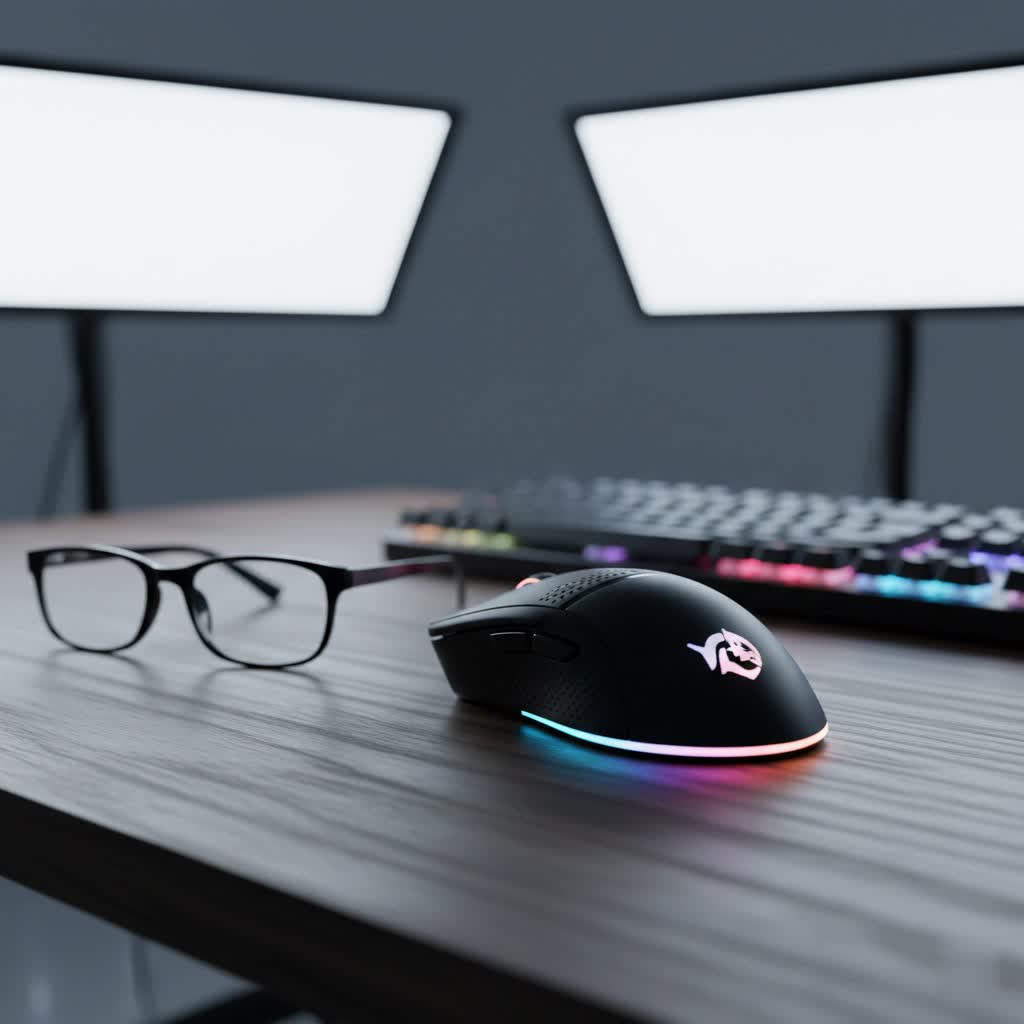
Gaming Mice: An Overview and Why They Matter
A gaming mouse is far more than just a pointing device; it is a meticulously engineered instrument designed for the unique demands of competitive play. Unlike conventional office mice, gaming mice boast advanced sensors, faster response times, and customizable features that are crucial for high-level precision and control. From executing pixel-perfect headshots in first-person shooters to navigating complex spell rotations in MOBAs, the performance of your mouse directly influences your in-game capabilities.
Pulsar has carved out a significant niche in the gaming peripheral market by prioritizing ultra-lightweight designs, cutting-edge optical sensors, and uncompromising performance. The brand is renowned for crafting mice that cater specifically to the competitive gaming community, where every gram and millisecond counts. Their philosophy centers on providing a streamlined, high-performance experience, making Pulsar a formidable name for players who demand the absolute best from their gear.
Popular Pulsar Gaming Mouse Types
Pulsar offers a focused range of gaming mice, primarily excelling in wireless connectivity and ultra-lightweight designs. Their models typically fall into two main categories based on shape and often leverage 2.4GHz wireless technology for low latency.
By Shape
- Symmetrical Mice (e.g., Pulsar X2 Series): These mice are designed with an identical profile on both sides, making them versatile for various grip styles. While ambidextrous in design, many symmetrical Pulsar mice, like the X2H v3, feature an accentuated rear hump specifically optimized to provide excellent palm support for claw grip users. This design often appeals to competitive FPS players who prioritize quick, precise micro-adjustments.
- Ergonomic Mice (e.g., Pulsar Xlite Series): Tailored specifically for right-handed users, ergonomic Pulsar mice like the Xlite V3 boast contoured shapes that naturally fit the hand. This design minimizes strain during prolonged gaming sessions, making them ideal for palm and relaxed claw grip users seeking maximum comfort and stability. The Xlite series often comes in multiple sizes (Mini, Medium, Large) to accommodate different hand dimensions.
|
Our Picks for the Best Gaming Mouse in 2026
As an Amazon Associate I earn from qualifying purchases.
|
||
| Num | Product | Action |
|---|---|---|
| 1 | Logitech G PRO X Superlight Wireless Gaming Mouse, Ultra-Lightweight, Hero 25K Sensor, 25,600 DPI, 5 Programmable Buttons, Long Battery Life, Compatible with PC/Mac - Black |

|
| 2 | Logitech G502 Hero High Performance Wired Gaming Mouse, Hero 25K Sensor, 25,600 DPI, RGB, Adjustable Weights, 11 Buttons, On-Board Memory, PC/Mac |
|
| 3 | Razer DeathAdder Essential Gaming Mouse: 6400 DPI Optical Sensor - 5 Programmable Buttons - Mechanical Switches - Rubber Side Grips - Classic Black |
|
| 4 | Razer Viper V3 Pro Wireless Esports Gaming Mouse: Symmetrical - 54g Lightweight - 8K Polling - 35K DPI Optical Sensor - Gen3 Optical Switches - 8 Programmable Buttons - 95 Hr Battery - Black |
|
| 5 | Logitech G305 Lightspeed Wireless Gaming Mouse, Hero 12K Sensor, 12,000 DPI, Lightweight, 6 Programmable Buttons, 250h Battery Life, On-Board Memory, PC/Mac - Black |
|
| 6 | Razer Basilisk V3 Customizable Ergonomic Gaming Mouse: Fastest Gaming Mouse Switch - Chroma RGB Lighting - 26K DPI Optical Sensor - 11 Programmable Buttons - HyperScroll Tilt Wheel - Classic Black |
|
| 7 | Redragon M612 Predator RGB Gaming Mouse, 8000 DPI Wired Optical Mouse with 11 Programmable Buttons & 5 Backlit Modes, Software Supports DIY Keybinds Rapid Fire Button |
|
| 8 | MechLands AJAZZ AJ139P V3 MC Wireless Mouse with Charging Base, 3 Modes Gaming Mouse with 800mAh Battery, Adjustable 24,000 DPI, PAW3311 Sensor, 1000 Polling Rate, 69g Lightweight, Win/Mac (Black) |
|
| 9 | MAMBASNAKE ATTACKSHARK V8 Wireless Ultralight Gaming Mouse with 8K Polling,42000 DPI,Nordic54L15 MCU Chip,PAW3950 Max Sensor-Wired/BT/2.4Ghz,400Hrs Long Battery,Programmable for PC Mac FPS(White+Tape) |
|
| 10 | Razer Basilisk V3 X HyperSpeed Customizable Wireless Gaming Mouse: Mechanical Switches Gen-2-5G Advanced 18K Optical Sensor - Chroma RGB 9 Programmable Controls 535 Hr Battery Classic Black |
|
By Connection
Pulsar predominantly focuses on wireless gaming mice using a 2.4GHz receiver. This connection type offers ultra-low latency, often on par with wired performance, providing the freedom of movement essential for competitive play. Many Pulsar wireless mice support high polling rates, sometimes up to 8000Hz with an optional dongle, which further minimizes input lag. While less common, some Pulsar models may also offer a wired mode or dedicated wired versions.
By Sensor Type
Pulsar mice primarily utilize advanced optical sensors, such as the PixArt PAW3395 or their proprietary Pulsar XS-1. Optical sensors are highly regarded for their precision, reliability, and consistent tracking across various surfaces, making them the preferred choice for competitive gaming.
Detailed Comparison of Key Pulsar Gaming Mice
Pulsar’s lineup is distinguished by its commitment to ultra-lightweight designs and top-tier performance. Here’s a comparison highlighting their flagship series:
| Feature | Pulsar X2 Series (e.g., X2V2, X2H v3) | Pulsar Xlite V3 Series | Pulsar X3 Series (e.g., X3 Medium) |
|---|---|---|---|
| Shape | Symmetrical, often with a pronounced hump for claw grip (X2H v3) | Ergonomic, right-handed design for comfort | Ergonomic, versatile shape |
| Target Grip | Claw, Fingertip (X2V2), Claw (X2H v3) | Palm, Relaxed Claw | Palm, Claw, Fingertip (depending on size) |
| Weight | Ultra-light (e.g., X2V2 53g, X2 CrazyLight as low as 35g) | Ultra-light (e.g., Xlite V3 Mini 55g) | Lightweight (e.g., X3 Medium 55g) |
| Sensor | PixArt PAW3395 (up to 26K DPI), Pulsar’s optical sensors | Pulsar XS-1 Optical Sensor (up to 32K DPI) | Pulsar XS-1 Optical Sensor (up to 32K DPI) |
| Switches | Kailh GM 8.0, Pulsar’s own optical switches | Kailh GM 8.0 Optical Switches | Kailh GM 8.0 Optical Switches |
| Polling Rate | Up to 8000Hz (with optional 4K/8K dongle) | Up to 8000Hz (with optional 4K/8K dongle) | Up to 8000Hz (with optional 4K/8K dongle) |
| Connectivity | 2.4GHz Wireless, Wired | 2.4GHz Wireless, Wired | 2.4GHz Wireless, Wired |
| Build Quality | Excellent, minimal flex, solid shell (X2V2), some open baseplate (CrazyLight) | Solid, durable construction | Excellent build quality |
| Key Differentiator | Extreme lightweight and symmetrical agility, competitive-focused | Ergonomic comfort and multiple sizes for tailored fit | Blends ergonomic design with lightweight performance, durable switches |
The Pulsar X2 series, with models like the X2V2 and X2H v3, is celebrated for its symmetrical design and remarkably low weight. The X2H v3, for instance, features a high rear hump that provides exceptional support for claw grip users, enhancing control during rapid movements. The X2 CrazyLight pushes the boundaries of lightweight design, achieving weights as low as 35 grams by incorporating an open baseplate. These mice typically employ high-performance PixArt sensors and, in newer iterations, Pulsar’s own optical switches, ensuring crisp clicks and minimal latency.
In contrast, the Pulsar Xlite V3 series offers a more ergonomically sculpted, right-handed shape. These mice are designed for maximum comfort, especially for gamers who prefer a palm or relaxed claw grip over extended periods. The Xlite V3 utilizes Pulsar’s XS-1 optical sensor, delivering incredibly precise tracking. Available in various sizes, the Xlite V3 allows users to find a perfect fit for their hand size, which is critical for maintaining consistent aim and reducing fatigue.
The Pulsar X3 series, including models like the X3 Medium, aims to balance ergonomic innovation with lightweight performance. Weighing around 55 grams, the X3 provides comfortable handling for long gaming sessions and productive work. It also features the XS-1 sensor and durable Kailh GM 8.0 Optical Switches, ensuring a precise click feel and an extended lifespan of up to 80 million clicks.
Key Factors When Choosing a Pulsar Gaming Mouse
Selecting a Pulsar Gaming Mouse involves evaluating several key technical and ergonomic factors to ensure it aligns perfectly with your individual needs and playstyle.
Sensor Performance
The heart of any gaming mouse is its sensor. Pulsar mice typically feature high-performance optical sensors like the PixArt PAW3395 or Pulsar’s proprietary XS-1.
- DPI (Dots Per Inch) / CPI (Counts Per Inch): This indicates sensor sensitivity. While high DPI numbers (up to 32,000 on some Pulsar models) look impressive, most pro gamers use much lower settings (400-1600 DPI). Pulsar’s software allows for precise DPI adjustment.
- IPS (Inches Per Second) & Acceleration: IPS measures the maximum speed at which a mouse can track without spinning out, while acceleration refers to how quickly the sensor can register changes in speed. Pulsar mice boast high IPS and zero acceleration, ensuring your movements translate accurately onto the screen, even during fast flicks. Features like “Motion Sync” synchronize polling events for smoother, more consistent tracking.
Shape, Size, and Grip Style
This is arguably the most personal factor. Pulsar offers distinct shapes tailored to different preferences:
- Pulsar X2 Series: Symmetrical design, generally favoring claw and fingertip grips. Models like the X2H v3 have an emphasized rear hump specifically for optimal claw grip support.
- Pulsar Xlite Series: Ergonomic, right-handed design, ideal for palm and relaxed claw grips. These often come in multiple sizes (Mini, Medium, Large), allowing you to find the perfect fit for your hand, which is crucial for comfort and control.
Consider your hand size (length and width) and your primary grip style (palm, claw, fingertip) to match it with the most suitable Pulsar mouse.
Buttons and Customization
Pulsar mice come with programmable buttons that can be remapped for in-game commands or macros.
- Programmable Buttons: Most Pulsar mice feature 5-7 programmable buttons, including the main left/right click, side buttons, and a scroll wheel click.
- Software Customization: Pulsar offers companion software that allows you to adjust DPI steps, create macros, and customize button assignments. Some newer models, like the X2 V3 ES Mini, even feature driverless onboard controls with an OLED display for quick adjustments.
Durability and Build Quality
A gaming mouse needs to withstand countless clicks and intense movements.
- Materials: Pulsar mice are known for their solid build quality, often featuring robust ABS plastic shells with minimal flex or creaking, even under pressure. The X2 CrazyLight, despite its extreme lightness, still maintains a surprisingly solid structure.
- Switches: Pulsar utilizes durable switches such as Kailh GM 8.0 Optical Switches (rated for up to 80 million clicks) or their own custom optical switches. Optical switches offer faster actuation and are less prone to double-clicking issues compared to traditional mechanical switches.
Weight
Pulsar is a pioneer in the ultra-lightweight mouse trend.
- Lightweight (under 80g): Many Pulsar mice, especially the X2 and Xlite series, fall into this category (e.g., X2V2 at 53g, X2 CrazyLight at 35g). A lighter mouse is easier to flick quickly and reduces wrist fatigue during long gaming sessions.
- Denser Feel: While Pulsar’s focus is on lightness, some users prefer a slightly heavier or denser mouse for perceived stability. Pulsar manages to achieve extreme lightness without sacrificing much in terms of build solidity.
Connectivity
Pulsar primarily focuses on high-performance wireless solutions.
- 2.4GHz Wireless: This is the standard for competitive gaming due to its low latency and stable connection, often rivaling wired performance.
- Polling Rate: Many Pulsar mice support high polling rates (up to 8000Hz) with an optional dongle. A higher polling rate means the mouse reports its position to the PC more frequently, resulting in smoother and more responsive cursor movement. However, higher polling rates can impact battery life.
RGB Lighting
While not a primary focus for performance, some Pulsar models may feature subtle RGB lighting for aesthetic customization. For instance, the Xlite V2 opted for no RGB to save weight, reflecting Pulsar’s performance-first approach.
Pulsar vs. Leading Gaming Mouse Brands
Pulsar stands out in a crowded market dominated by giants like Logitech, Razer, and SteelSeries by dedicating itself to the niche of ultra-lightweight, high-performance mice, particularly for competitive esports.
- Logitech: Known for its robust, reliable mice like the G Pro X Superlight, offering excellent wireless performance and established software. Pulsar often competes directly with Logitech’s lightweight offerings by providing similar or even lighter designs, sometimes at a more competitive price point with advanced sensors.
- Razer: Famous for its aggressive designs, innovative optical switches, and extensive RGB ecosystems. Razer also offers lightweight options (e.g., Viper V2 Pro). Pulsar differentiates itself by focusing on minimalist, pure performance designs that prioritize raw speed and low weight above all else.
- SteelSeries: Valued for its comfortable ergonomic shapes and durable builds. Pulsar offers more specialized shapes and often pushes the boundaries of extreme lightness more aggressively than SteelSeries.
Pulsar’s strength lies in its specialized approach: delivering top-tier sensors, responsive clicks, and extremely low weights in shapes optimized for competitive grip styles. While other brands offer a broader range of features or established ecosystems, Pulsar provides a direct, no-compromise solution for gamers prioritizing peak in-game performance.
Guide to Choosing a Pulsar Gaming Mouse by Budget
Pulsar mice generally occupy the mid-to-high-end spectrum due to their premium components and focus on competitive performance.
Mid-Range Segment (e.g., $70 – $120 USD)
- Excellent Choices: In this range, you can often find entry-level or slightly older generation Pulsar wireless mice. Models like the original Pulsar X2 Wireless or the Xlite V2 (if still available) can offer incredible value. You’ll get a high-performance PixArt sensor, reliable 2.4GHz wireless connectivity, and a truly lightweight design.
- Pros: Access to Pulsar’s core performance advantages—lightweight, responsive sensor, good build quality—without breaking the bank.
- Cons: Might lack the absolute latest features (e.g., 8000Hz polling rate out of the box, OLED displays) or have slightly less refined coatings compared to newer, more expensive models.
High-End Segment (e.g., $120+ USD)
- Premium Choices: This is where Pulsar’s latest and most advanced mice reside. Models like the Pulsar X2V2, X2H v3, Xlite V3, and their ‘eS’ (Esports) or ‘CrazyLight’ variants are found here. These mice push the boundaries with incredibly low weights (some as low as 35g), advanced optical switches, 8000Hz polling rate support, and often driverless functionality with onboard displays.
- Pros: Cutting-edge performance, extremely low latency, refined ergonomics, superior build quality, and the latest sensor technology. These are designed for the most demanding competitive scenarios.
- Cons: Higher price point. The extreme lightness or specialized shapes might not suit everyone, and the smaller batteries in some ultra-light models might require more frequent charging, especially at higher polling rates.
Regardless of budget, Pulsar focuses on delivering a performance-oriented experience. Even their more “affordable” options provide a significant upgrade over standard gaming mice, while their premium offerings compete directly with the best in the industry.
Top Pulsar Gaming Mice for 2026
Pulsar consistently releases mice that redefine lightweight performance. Here are some of the most highly regarded models:
- Pulsar X2V2: An evolution of the popular X2, the X2V2 maintains its symmetrical, ultra-lightweight design, making it a favorite for claw and fingertip grip users. It boasts an enhanced PixArt sensor, improved internal components, and often comes with refined coatings for better grip. Its focus remains on pure, unadulterated performance for competitive play, offering incredibly low click and sensor latency.
- Pulsar Xlite V3: This mouse is the flagship ergonomic offering from Pulsar, designed for maximum comfort during long gaming sessions. Available in various sizes, the Xlite V3 features a right-handed ergonomic shape that accommodates palm and relaxed claw grips exceptionally well. It integrates the advanced Pulsar XS-1 optical sensor and durable optical switches, delivering precision and reliability in a lightweight package. Its multi-size options make it a standout for those who struggle to find a perfect ergonomic fit.
- Pulsar X2H v3: A variant within the X2 series, the X2H v3 features an accentuated rear hump that is specifically optimized for claw grip users. This design provides enhanced palm support, allowing for greater stability and control during aggressive movements. Like other Pulsar flagships, it offers excellent raw performance, extremely low latency, and a remarkably lightweight build, making it an excellent choice for FPS players who rely heavily on precise claw grip mechanics.
- Pulsar X2 CrazyLight: Pushing the boundaries of lightweight design, the X2 CrazyLight is an extreme iteration of the X2 mini shape, with some versions weighing as little as 35 grams. This is achieved through an innovative, open baseplate design and internal cutouts. It features Pulsar’s optical switches and a high-performance sensor, offering an incredibly nimble and responsive feel. While its open design might expose the interior to dust, its unparalleled lightness offers a unique advantage for players seeking the absolute fastest mouse movements.
Each of these Pulsar mice showcases the brand’s dedication to high-performance, lightweight design, and caters to specific ergonomic or grip preferences, ensuring there’s a top-tier option for almost every serious gamer.
Tips for Using and Maintaining Your Pulsar Gaming Mouse
To ensure your Pulsar gaming mouse continues to perform at its peak and enjoys a long lifespan, proper usage and maintenance are crucial.
- Regular Cleaning: Dust, sweat, and debris can accumulate in and around your mouse, affecting sensor performance and button feel. Use a can of compressed air to dislodge dust from crevices and a microfiber cloth lightly dampened with isopropyl alcohol to clean the surface and mouse feet. Pay special attention to the sensor lens.
- Use a Quality Mousepad: A good gaming mousepad provides a consistent surface for your mouse’s sensor, allowing for optimal tracking and glide. It also protects the mouse feet from excessive wear. Choose a mousepad that complements your playstyle (e.g., speed surface for quick movements, control surface for precision).
- Update Firmware and Drivers: Pulsar frequently releases firmware updates that can improve sensor performance, battery efficiency, and fix bugs. Always ensure your mouse’s firmware and its companion software drivers are up to date by checking the official Pulsar website.
- Optimize Software Settings: Take time to explore Pulsar’s customization software. Fine-tune your DPI settings, set up macros for complex actions, and adjust polling rates to match your preferences and game requirements. Experiment with features like “Motion Sync” to see if it enhances your experience.
- Battery Management (for Wireless Mice): If you’re using a wireless Pulsar mouse, be mindful of battery life. Higher polling rates (like 4000Hz or 8000Hz) drain the battery faster. Charge your mouse regularly, especially before competitive sessions. Some models may have an OLED display to monitor battery life, or you can check it via the software.
- Handle with Care: While Pulsar mice are generally well-built, avoid dropping them or subjecting them to excessive force, which could damage internal components or the delicate shell.
Following these simple tips will help you maximize the performance and longevity of your Pulsar gaming mouse, ensuring it remains a reliable companion in countless virtual battles.
Conclusion
Choosing the right gaming mouse is an investment in your gaming performance, and Pulsar has firmly established itself as a frontrunner in delivering precision, speed, and comfort. By understanding the nuances of sensor technology, grip styles, and the unique offerings of models like the X2V2, Xlite V3, and X2H v3, you can make an informed decision that truly elevates your gameplay. Pulsar’s dedication to ultra-lightweight design, high-performance sensors, and durable components ensures that their mice are not just peripherals, but genuine extensions of your will in the digital arena.
Are you ready to experience the competitive edge a Pulsar gaming mouse can provide?
Frequently Asked Questions
What makes Pulsar gaming mice so lightweight?
Pulsar achieves its ultra-lightweight designs through meticulous engineering, using thin but durable ABS plastic shells and often incorporating internal cutouts or even open baseplates (as seen in the X2 CrazyLight) to shave off every possible gram without compromising structural integrity.
Do Pulsar mice support 8000Hz polling rate?
Many newer Pulsar gaming mice, especially in the X2 and Xlite V3 series, do support an 8000Hz polling rate. This often requires a separate 4K/8K wireless dongle, which allows the mouse to report its position to the PC up to 8000 times per second for the lowest possible latency.
Are Pulsar gaming mice good for large hands?
Pulsar offers models in various sizes to accommodate different hand dimensions. While the X2 series tends to be more compact, the Xlite V3 series is specifically available in Mini, Medium, and Large sizes, making it an excellent choice for users with larger hands, especially for those who prefer an ergonomic shape.
What kind of switches do Pulsar gaming mice use?
Pulsar mice frequently utilize high-quality optical switches, such as Kailh GM 8.0 Optical Switches, or their own custom-designed optical switches. Optical switches are favored for their durability (rated for millions of clicks), faster actuation speeds, and resistance to double-clicking issues compared to traditional mechanical switches.
Can I customize the DPI and buttons on a Pulsar mouse?
Yes, all Pulsar gaming mice come with companion software that allows for extensive customization. You can adjust DPI stages, remap buttons, create macros, and fine-tune other performance settings. Some advanced models, like the X2 V3 ES Mini, even feature driverless onboard controls with a small OLED display for quick adjustments on the fly.
