For any serious gamer, the right gaming keyboard and mouse are far more than just input devices; they are an extension of your will, translating every thought and reflex into precise, in-game action. Beyond flashy aesthetics, these peripherals offer significant performance advantages over standard office equipment, providing the accuracy, responsiveness, and durability crucial for competitive play and immersive experiences. Choosing the perfect duo can be daunting, but understanding the core features and how they impact your gameplay will elevate your setup and give you a genuine competitive edge. This comprehensive guide will walk you through everything you need to know to select the ideal gaming keyboard and mouse for your needs and playstyle.
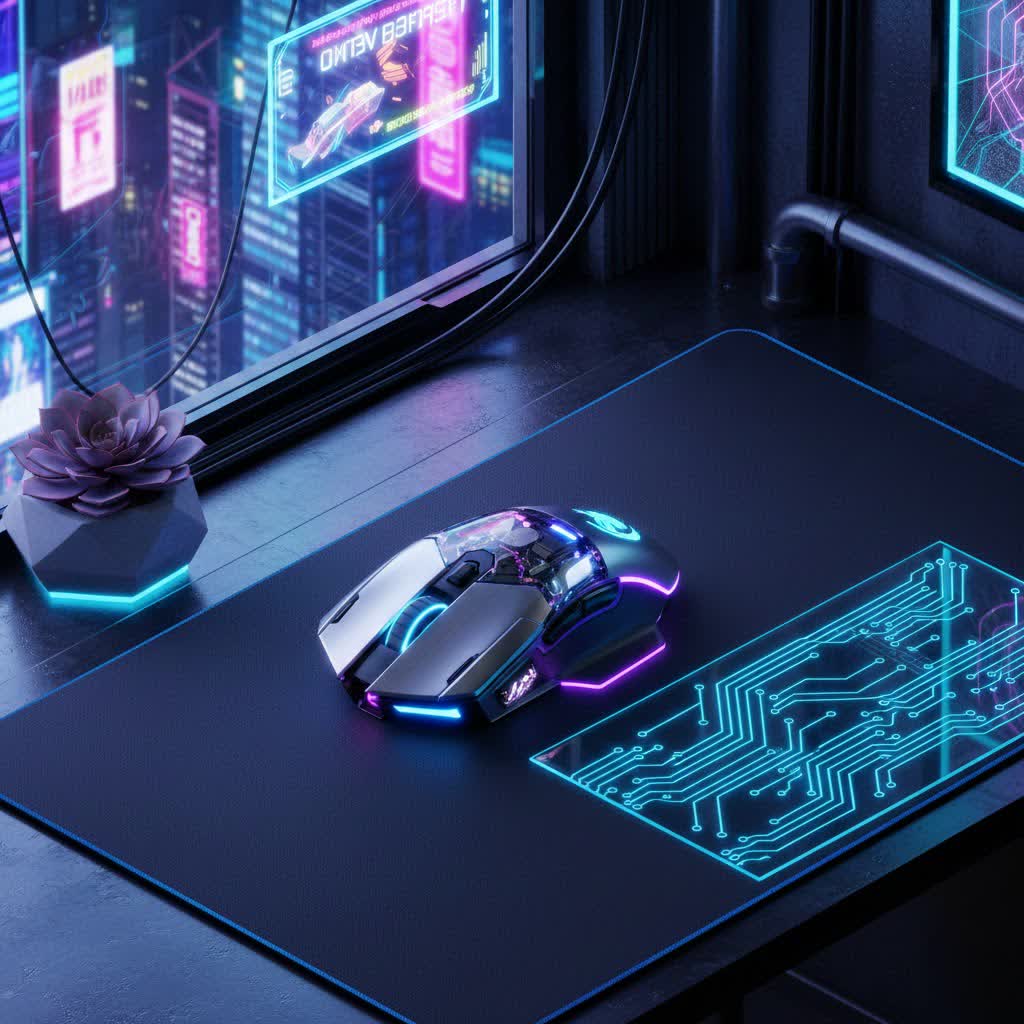
Gaming Keyboards and Mice: Why They Are Essential
Gaming keyboards and mice are meticulously engineered to meet the rigorous demands of modern gaming. Unlike their standard counterparts, they boast specialized features designed for speed, precision, and endurance. A gaming mouse, for instance, offers superior sensors for accurate tracking and adjustable DPI, allowing for fine-tuned cursor control. Similarly, gaming keyboards feature advanced switches that provide faster actuation, anti-ghosting technology to register every complex command, and robust construction to withstand intense gaming sessions. This enhanced responsiveness and control directly impact reaction times, movement fluidity, and overall in-game efficiency, making them indispensable tools for anyone serious about gaming.
Exploring the Landscape of Gaming Keyboards
Gaming keyboards come in various forms, each offering distinct advantages. Understanding these differences is key to finding your perfect match.
By Switch Type
The heart of any gaming keyboard lies in its switches, which dictate the feel, sound, and responsiveness of each keypress.
- Mechanical Keyboards: These are the gold standard for gaming, featuring individual mechanical switches under each key. They offer superior tactile feedback, faster actuation, and exceptional durability.
- Linear Switches (e.g., Cherry MX Red): Smooth, consistent keystrokes without a tactile bump or audible click. Ideal for fast-paced games requiring rapid, repeated key presses.
- Tactile Switches (e.g., Cherry MX Brown): Provide a noticeable bump halfway through the keypress, confirming actuation without an audible click. A good all-rounder for both gaming and typing.
- Clicky Switches (e.g., Cherry MX Blue): Offer both a tactile bump and a distinct audible click. Preferred by some for precise feedback, though often considered too loud for shared spaces.
- Membrane Keyboards: More affordable and quieter, these keyboards use a rubber dome under the keys. They lack the precise feedback and durability of mechanical switches, often feeling “mushy.”
- Plunger/Hybrid Switches: An attempt to bridge the gap, these offer a more tactile feel than membrane switches while remaining quieter than many mechanical options.
- Optical Switches: Utilize a light beam to register key presses, offering incredibly fast actuation and enhanced durability as there’s no physical contact.
- Hall Effect (Magnetic) Switches: A newer technology that uses magnetic fields, allowing for adjustable actuation points and rapid trigger capabilities, where key presses can register or reset based on minute key travel.
|
Our Picks for the Best Gaming Mouse in 2026
As an Amazon Associate I earn from qualifying purchases.
|
||
| Num | Product | Action |
|---|---|---|
| 1 | Razer DeathAdder Essential Gaming Mouse: 6400 DPI Optical Sensor - 5 Programmable Buttons - Mechanical Switches - Rubber Side Grips - Classic Black |

|
| 2 | Redragon M612 Predator RGB Gaming Mouse, 8000 DPI Wired Optical Mouse with 11 Programmable Buttons & 5 Backlit Modes, Software Supports DIY Keybinds Rapid Fire Button |
|
| 3 | Logitech G PRO X Superlight Wireless Gaming Mouse, Ultra-Lightweight, Hero 25K Sensor, 25,600 DPI, 5 Programmable Buttons, Long Battery Life, Compatible with PC/Mac - Black |
|
| 4 | MAMBASNAKE ATTACKSHARK V8 Wireless Ultralight Gaming Mouse with 8K Polling,42000 DPI,Nordic54L15 MCU Chip,PAW3950 Max Sensor-Wired/BT/2.4Ghz,400Hrs Long Battery,Programmable for PC Mac FPS(White+Tape) |
|
| 5 | Logitech G305 Lightspeed Wireless Gaming Mouse, Hero 12K Sensor, 12,000 DPI, Lightweight, 6 Programmable Buttons, 250h Battery Life, On-Board Memory, PC/Mac - Black |
|
| 6 | Razer Viper V3 Pro Wireless Esports Gaming Mouse: Symmetrical - 54g Lightweight - 8K Polling - 35K DPI Optical Sensor - Gen3 Optical Switches - 8 Programmable Buttons - 95 Hr Battery - Black |
|
| 7 | MechLands AJAZZ AJ139P V3 MC Wireless Mouse with Charging Base, 3 Modes Gaming Mouse with 800mAh Battery, Adjustable 24,000 DPI, PAW3311 Sensor, 1000 Polling Rate, 69g Lightweight, Win/Mac (Black) |
|
| 8 | Razer Basilisk V3 X HyperSpeed Customizable Wireless Gaming Mouse: Mechanical Switches Gen-2-5G Advanced 18K Optical Sensor - Chroma RGB 9 Programmable Controls 535 Hr Battery Classic Black |
|
| 9 | Logitech G502 Hero High Performance Wired Gaming Mouse, Hero 25K Sensor, 25,600 DPI, RGB, Adjustable Weights, 11 Buttons, On-Board Memory, PC/Mac |
|
| 10 | Razer Basilisk V3 Customizable Ergonomic Gaming Mouse: Fastest Gaming Mouse Switch - Chroma RGB Lighting - 26K DPI Optical Sensor - 11 Programmable Buttons - HyperScroll Tilt Wheel - Classic Black |
|
By Form Factor
Keyboard size impacts desk space and ergonomics.
- Full-size: Includes a number pad, function row, and navigation keys. Best for users who require a number pad for work or specific games.
- Tenkeyless (TKL): Removes the number pad, making it more compact and allowing for more mouse room. A popular choice for gamers.
- 60%, 65%, 75%: Even smaller layouts that omit various keys (like function row or arrow keys) in favor of extreme portability and desk space. They often require function key combinations for certain inputs.
By Connectivity
- Wired Keyboards: Offer zero latency and a reliable connection.
- Wireless Keyboards: Provide freedom from cables, typically using 2.4GHz dongles for low-latency gaming or Bluetooth for general use. Modern wireless gaming keyboards have significantly reduced latency, making them viable for competitive play.
Exploring the Landscape of Gaming Mice
A gaming mouse is arguably the most personal peripheral, with various features impacting aiming and movement.
By Sensor Type
- Optical Sensors: Most gaming mice use optical sensors, which are highly accurate and perform well on a variety of surfaces. They are generally preferred for precise tracking.
- Laser Sensors: While once popular, laser sensors are less common in high-end gaming mice today. They can track on more challenging surfaces like glass but may exhibit minor acceleration issues.
By Connectivity
- Wired Mice: Offer the ultimate in reliability and often lighter weight due to no battery, ensuring no input lag.
- Wireless Mice: Modern wireless gaming mice, especially those using a 2.4GHz dongle, provide near-wired performance with minimal latency, offering greater freedom of movement without cable drag. Bluetooth is typically reserved for casual use or productivity.
By Ergonomics and Grip Style
The shape and size of your mouse should match your hand and grip.
- Ergonomic Mice: Designed for right-handed or left-handed users, contoured to fit the natural curve of the hand for maximum comfort during long sessions.
- Ambidextrous Mice: Symmetrical designs suitable for both left and right-handed users, though often less sculpted than dedicated ergonomic mice.
- Grip Styles:
- Palm Grip: The entire hand rests on the mouse, offering stability and comfort.
- Claw Grip: Fingers are arched, with fingertips and the heel of the palm contacting the mouse. Provides a good balance of control and agility.
- Fingertip Grip: Only the fingertips touch the mouse, allowing for maximum precision and rapid micro-adjustments.
By Weight
- Lightweight Mice (under 80g): Ideal for competitive FPS players who demand rapid flick shots and minimal resistance.
- Standard Mice (80-100g): A balanced weight for most gamers, offering a good mix of control and maneuverability.
- Heavy Mice (over 100g): Some prefer heavier mice for added stability and a more deliberate feel, though less common in modern competitive gaming.
Comparing Key Gaming Peripherals Technologies
Choosing between different technologies often involves trade-offs. Here’s a quick comparison of crucial features:
| Feature | Mechanical Keyboard | Membrane Keyboard |
|---|---|---|
| Precision | High (individual switches) | Moderate (rubber dome) |
| Tactile Feel | Excellent (distinct feedback) | Poor (mushy) |
| Durability | High (50-100M keystrokes) | Moderate (5-10M keystrokes) |
| Noise | Variable (from quiet linear to loud clicky) | Quiet |
| Price | Higher | Lower |
| Feature | Wired Peripherals | Wireless Peripherals |
|---|---|---|
| Latency | Minimal to none | Ultra-low (modern 2.4GHz), Moderate (Bluetooth) |
| Battery Life | N/A (always powered) | Requires charging, can run out mid-session |
| Portability | Less convenient (cable management) | High (no cables) |
| Cable Drag | Present (can be mitigated with bungee) | None |
| Price | Generally lower | Generally higher for high-performance models |
Key Factors When Choosing Your Gaming Peripherals
Making an informed decision requires considering several technical and personal preference factors for both your mouse and keyboard.
Sensor (Mouse)
The sensor is the brain of your mouse.
- DPI (Dots Per Inch) / CPI (Counts Per Inch): Determines cursor speed relative to physical mouse movement. Higher DPI means faster cursor movement with less physical effort. However, many professional players prefer moderate DPI (e.g., 400-1600) combined with lower in-game sensitivity for greater precision, as excessively high DPI can make the cursor jumpy and harder to control.
- IPS (Inches Per Second): The maximum speed at which a mouse can track movement accurately. A higher IPS ensures tracking without skips even during rapid mouse movements.
- Acceleration: Should ideally be zero for consistent, predictable aiming. Positive acceleration makes the cursor move further with faster physical movements, which can be detrimental to muscle memory.
- Lift-Off Distance (LOD): The height at which the mouse sensor stops tracking when lifted from the mousepad. A low LOD is preferred to prevent unwanted cursor movement when repositioning the mouse.
Switches (Keyboard)
Keyboards thrive on their switch performance.
- Type: As discussed, mechanical (linear, tactile, clicky, optical, Hall effect) are generally preferred for gaming.
- Actuation Force: The pressure required to register a keypress. Lighter forces (e.g., Cherry MX Red) allow for faster presses, while heavier forces can prevent accidental inputs.
- Travel Distance: The total distance a key can be pressed.
- Lifespan: Measured in millions of keystrokes, indicating durability. Good gaming switches can last 50-100 million clicks.
Form Factor & Ergonomics
Comfort and layout significantly impact long-term use.
- Keyboard Layout: Choose a size that fits your desk and workflow (full-size, TKL, 60%).
- Mouse Shape & Size: Ensure the mouse fits your hand size and preferred grip style to prevent fatigue and improve control.
Buttons & Customization
Personalization enhances gameplay.
- Programmable Keys/Buttons: Gaming keyboards and mice often feature extra buttons that can be assigned to macros or specific in-game functions, giving you quick access to complex commands.
- Software: Brands like Razer (Synapse) and Logitech (G Hub) offer robust software suites to customize DPI, polling rate, RGB lighting, and create macros.
Durability & Build Quality
Longevity matters under intense use.
- Materials: Look for sturdy construction. For keyboards, PBT keycaps are more durable and resistant to wear and shine compared to ABS keycaps.
- Switch Lifespan: High-quality mouse switches (e.g., Omron, Kailh) are rated for tens of millions of clicks.
Weight (Mouse)
The weight influences maneuverability.
- A lighter mouse generally allows for faster, more agile movements, which is crucial for quick reactions in competitive games.
Connectivity
Speed and stability are paramount.
- Polling Rate (Mouse): How often the mouse reports its position to the computer, measured in Hertz (Hz). A 1000Hz polling rate means 1000 updates per second (1ms response time), which is the standard for gaming. High-end mice now offer 4000Hz or even 8000Hz for ultra-low latency.
- Wireless Stability: For wireless peripherals, a stable 2.4GHz connection is crucial to avoid signal drops or interference.
RGB Lighting
While largely aesthetic, customizable RGB can enhance immersion and match your setup’s theme.
Game Genre
Different games demand different peripheral characteristics.
- FPS (First-Person Shooter): Typically benefit from a low-DPI mouse for precise aiming and a fast-actuating mechanical keyboard for quick movements.
- MMO/MOBA (Massively Multiplayer Online/Multiplayer Online Battle Arena): Often leverage mice with multiple programmable side buttons and keyboards with macro keys for executing complex spells and abilities.
- RTS (Real-Time Strategy): Require responsive keys and an ergonomic mouse for rapid, precise commands.
Top Gaming Peripherals Brands
The market is rich with excellent brands, each with its strengths:
- Logitech: Known for reliable, high-performance wireless technology (LIGHTSPEED) and a wide range of ergonomic designs for both mice and keyboards.
- Razer: Famous for aggressive designs, innovative switches (optical, linear), and a strong ecosystem with Synapse software. Often considered a premium brand.
- SteelSeries: Offers robust software (Engine) and highly customizable keyboards (OmniPoint switches) and comfortable mice with excellent sensors.
- Corsair: Features durable mechanical keyboards with extensive RGB and customizable mice, often providing good value in bundles.
- HyperX: Known for comfortable headsets and solid, well-built mechanical keyboards and mice that prioritize core performance.
- Redragon: A popular budget-friendly brand offering mechanical keyboards and gaming mice that provide great value for their price point, often including features found in more expensive models.
- MSI: Offers a range of gaming peripherals that combine performance with distinctive designs, often featuring durable build quality.
Choosing Gaming Peripherals by Budget
Your budget will significantly influence your choices, but quality options exist at every price point.
Entry-Level (Under $50)
- Options: Often features membrane or hybrid keyboards and mice with basic optical sensors. Brands like Redragon offer surprisingly good mechanical-feel keyboards and decent mice in this range.
- Pros: Highly affordable, allows new gamers to get started with gaming-specific gear.
- Cons: May lack premium features, durability, or advanced customization found in higher-tier products. Examples include the Redragon K552-BA keyboard and M602A-RGB Griffin mouse combo.
Mid-Range ($50-$150)
- Options: This segment offers excellent value, with true mechanical keyboards (often with Cherry MX or equivalent switches), higher-performance optical mouse sensors, and customizable RGB. You’ll find solid wired and capable wireless options.
- Pros: A great balance of performance, features, and durability without breaking the bank.
- Cons: Still might miss some ultra-premium features or the absolute lowest latency of top-tier wireless. The Corsair Pro Wired Gaming Bundle and MSI Vigor GK30 combo are strong contenders here.
High-End (Over $150)
- Options: The pinnacle of gaming peripherals, featuring cutting-edge technologies like optical or Hall effect switches, high-polling-rate wireless mice (4KHz/8KHz), premium build materials, and extensive software ecosystems.
- Pros: Uncompromised performance, superior durability, advanced customization, and often refined aesthetics.
- Cons: Significant investment. Examples include the Razer Huntsman V2 TKL, SteelSeries Apex Pro TKL Wireless keyboard, and Razer Viper V3 Pro mouse.
Top-Rated Gaming Keyboard and Mouse Combos and Individual Peripherals
While many gamers prefer to mix and match for their perfect setup, several combos and individual products consistently rank high:
- Razer Holiday Bundle: Often includes a solid mechanical keyboard (like a BlackWidow), a responsive gaming mouse (like a DeathAdder), and sometimes a headset, offering great value during sales.
- Redragon K552-BA Mechanical Gaming Keyboard and M602A-RGB Griffin Gaming Mouse Combo: A fantastic budget-friendly option, providing a mechanical keyboard experience and a responsive mouse for an entry-level price.
- Corsair Pro Wired Gaming Bundle: A reliable wired combo featuring the K55 keyboard and an entry-level Corsair mouse, perfect for getting into PC gaming.
- MSI Vigor GK30 Combo: Offers plunger switches that mimic mechanical keys and a durable, water-resistant design, paired with a capable mouse.
- SteelSeries Apex Pro TKL Wireless: A top-tier tenkeyless keyboard known for its adjustable OmniPoint switches and excellent wireless performance.
- Razer Viper V3 Pro: A lightweight, high-performance wireless mouse often praised for its sensor accuracy and comfortable shape, especially for claw grip.
Essential Tips for Using and Maintaining Your Gaming Peripherals
To ensure your gaming keyboard and mouse perform optimally and last longer, proper care is essential.
- Clean Regularly: Dust, crumbs, and grime can affect performance. Use compressed air for keyboards and a microfiber cloth for mice. Disinfect surfaces regularly.
- Use a Quality Mousepad: A good mousepad provides a consistent surface for accurate tracking and comfortable glides, significantly impacting mouse performance.
- Keep Drivers and Firmware Updated: Manufacturers frequently release software and firmware updates that can improve performance, fix bugs, or add new features to your peripherals.
- Manage Cables: For wired setups, use cable ties or a mouse bungee to prevent cable drag and keep your desk tidy.
- Protect from Spills: Accidents happen. Consider spill-resistant options or be extra cautious with drinks near your setup.
Conclusion
Choosing the best gaming keyboard and mouse is a deeply personal journey, one that significantly impacts your performance and enjoyment in the vast world of PC gaming. By understanding the nuances of mechanical switches, mouse sensors, ergonomic designs, and the importance of factors like polling rate and durability, you’re empowered to make an informed decision. Whether you prioritize lightning-fast actuation for competitive play or supreme comfort for extended sessions, investing in the right gaming keyboard and mouse will undoubtedly elevate your experience. Take the time to consider your unique needs, preferred game genres, and budget to find the perfect tools that feel like a natural extension of yourself.
What combination of gaming keyboard and mouse features do you find most crucial for achieving victory in your favorite games?
Frequently Asked Questions
Why do professional gamers often use low DPI settings on their mice?
Professional gamers typically use lower DPI settings (e.g., 400-800 DPI) for enhanced accuracy and control, especially in first-person shooter (FPS) games where precise aiming is critical. Lower DPI forces them to make larger physical movements, which allows for finer micro-adjustments and prevents overshooting targets. This preference is usually paired with a large mousepad to accommodate the broader physical mouse movements required.
Is wireless gaming gear good enough for competitive play?
Absolutely. Modern wireless gaming keyboards and mice, particularly those utilizing 2.4GHz dongles, have achieved near-wired levels of performance with ultra-low latency (often less than 1ms). Many professional players now use wireless peripherals due to the freedom from cable drag and the competitive performance they offer, making them a viable and often preferred choice for competitive play.
What is N-Key Rollover (NKRO) and Anti-Ghosting on a gaming keyboard?
N-Key Rollover (NKRO) is a feature that ensures every keypress is registered independently, even if you press multiple keys simultaneously. This means if you press 10 keys at once, all 10 inputs will be recognized. Anti-Ghosting is a related feature that prevents “ghost” inputs, where a key you didn’t press is registered, or “missed” inputs, where a key you did press is ignored, especially when multiple keys are held down. Both are crucial for complex in-game commands.
Should I buy a gaming keyboard and mouse as a combo or individually?
Both options have merits. Buying a combo can be more cost-effective, especially for entry-level and mid-range setups, and often ensures aesthetic consistency. However, buying individually allows for greater customization, letting you choose the absolute best keyboard and mouse that perfectly match your specific preferences and gaming style, regardless of brand or bundled deals.
