In the dynamic world of PC gaming, every advantage counts. While high-performance components often grab the spotlight, the humble gaming mouse remains a critical interface between player and game. For seasoned technicians and passionate gamers alike, the evolution of the gaming mouse, particularly the integration of programmable side buttons, has been a game-changer, offering unparalleled control and efficiency. This guide delves deep into the realm of gaming mice with side buttons, helping you understand their importance, explore the best options, and unlock your full gaming potential.
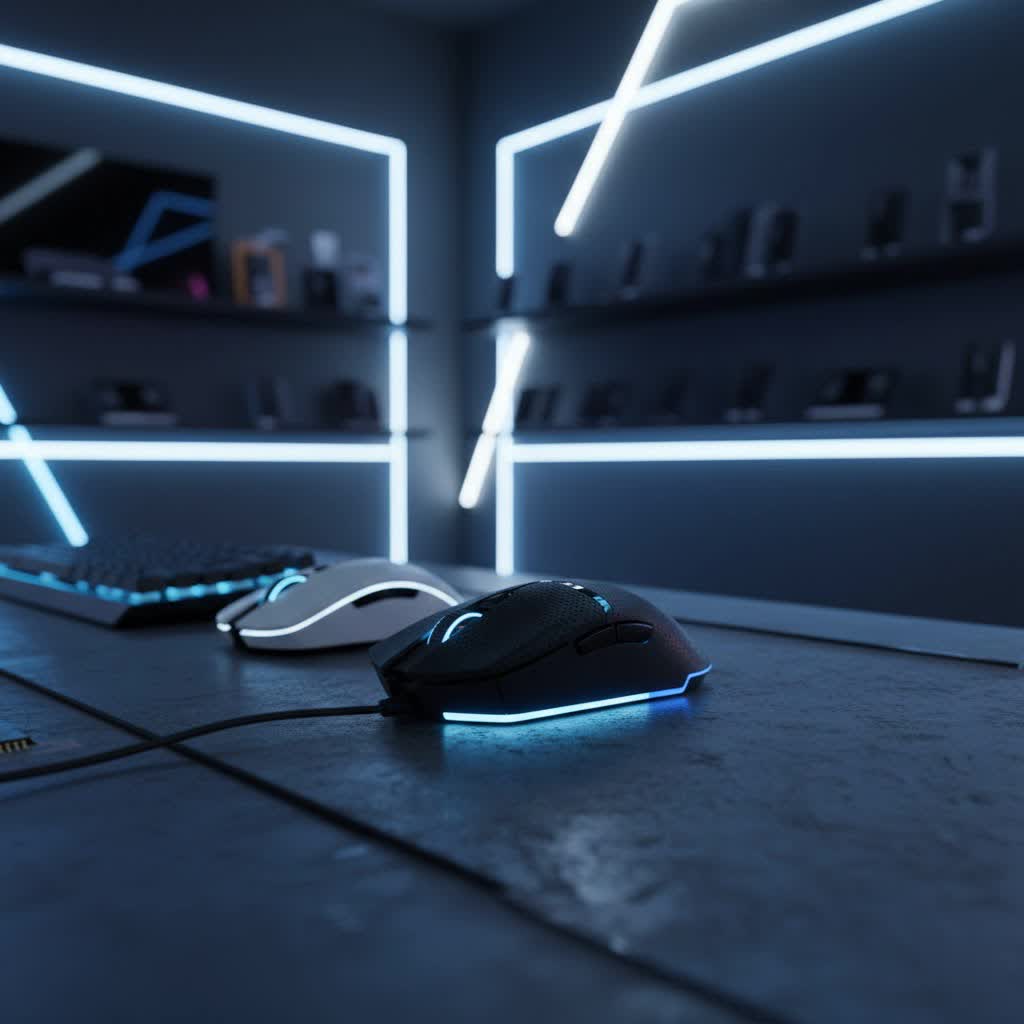
What is a Gaming Mouse with Side Buttons? Why They Matter for Every Gamer
A gaming mouse with side buttons distinguishes itself from a standard mouse by offering additional, customizable buttons typically located on the thumb side. These buttons are designed for quick, intuitive access to in-game actions, complex macros, or system shortcuts, transforming your mouse from a simple pointing device into a command center.
The importance of these extra buttons is undeniable. They provide significant advantages such, allowing for faster reactions in critical moments and enhancing overall productivity, not just in gaming but also in daily computing tasks. For competitive players in genres like massively multiplayer online (MMO) games, multiplayer online battle arenas (MOBA), and fast-paced first-person shooters (FPS), side buttons are indispensable. They enable expanded keybinds, letting you execute multiple commands without shifting your hand from the keyboard’s primary navigation keys. This precision control and efficiency can be the decisive factor in high-stakes matches. Recent reports indicate that over 65% of gaming mice sold in 2024 feature programmable side buttons, a clear testament to their growing significance in the gaming landscape.
Exploring the Landscape: Types of Gaming Mice with Side Buttons
Gaming mice with side buttons come in various configurations, each tailored to different player preferences and game genres. Understanding these types is crucial for making an informed choice.
Side Button Count and Layout
The number and arrangement of side buttons are primary differentiators:
- Two to Three Side Buttons: Often found on FPS-focused mice, these typically bind essential actions like melee attacks, grenades, or weapon switching. They offer quick access without overcrowding the thumb area, prioritizing swiftness over sheer button count.
- Six or More Side Buttons: These versatile mice are popular among MOBA and action RPG players. They provide enough buttons for abilities, item usage, and various macros, striking a balance between accessibility and functionality.
- Twelve (or more) Side Buttons (MMO Mice): These mice feature a numpad-style grid of buttons, specifically designed for MMO and complex simulation games. They offer the highest level of programmability, allowing players to assign dozens of macros and spells, effectively transferring many keyboard commands to the mouse for ultimate efficiency.
|
Our Picks for the Best Gaming Mouse in 2026
As an Amazon Associate I earn from qualifying purchases.
|
||
| Num | Product | Action |
|---|---|---|
| 1 | Logitech G PRO X Superlight Wireless Gaming Mouse, Ultra-Lightweight, Hero 25K Sensor, 25,600 DPI, 5 Programmable Buttons, Long Battery Life, Compatible with PC/Mac - Black |

|
| 2 | Logitech G502 Hero High Performance Wired Gaming Mouse, Hero 25K Sensor, 25,600 DPI, RGB, Adjustable Weights, 11 Buttons, On-Board Memory, PC/Mac |
|
| 3 | MAMBASNAKE ATTACKSHARK V8 Wireless Ultralight Gaming Mouse with 8K Polling,42000 DPI,Nordic54L15 MCU Chip,PAW3950 Max Sensor-Wired/BT/2.4Ghz,400Hrs Long Battery,Programmable for PC Mac FPS(White+Tape) |
|
| 4 | Razer Basilisk V3 Customizable Ergonomic Gaming Mouse: Fastest Gaming Mouse Switch - Chroma RGB Lighting - 26K DPI Optical Sensor - 11 Programmable Buttons - HyperScroll Tilt Wheel - Classic Black |
|
| 5 | Logitech G305 Lightspeed Wireless Gaming Mouse, Hero 12K Sensor, 12,000 DPI, Lightweight, 6 Programmable Buttons, 250h Battery Life, On-Board Memory, PC/Mac - Black |
|
| 6 | Razer Viper V3 Pro Wireless Esports Gaming Mouse: Symmetrical - 54g Lightweight - 8K Polling - 35K DPI Optical Sensor - Gen3 Optical Switches - 8 Programmable Buttons - 95 Hr Battery - Black |
|
| 7 | MechLands AJAZZ AJ139P V3 MC Wireless Mouse with Charging Base, 3 Modes Gaming Mouse with 800mAh Battery, Adjustable 24,000 DPI, PAW3311 Sensor, 1000 Polling Rate, 69g Lightweight, Win/Mac (Black) |
|
| 8 | Razer DeathAdder Essential Gaming Mouse: 6400 DPI Optical Sensor - 5 Programmable Buttons - Mechanical Switches - Rubber Side Grips - Classic Black |
|
| 9 | Razer Basilisk V3 X HyperSpeed Customizable Wireless Gaming Mouse: Mechanical Switches Gen-2-5G Advanced 18K Optical Sensor - Chroma RGB 9 Programmable Controls 535 Hr Battery Classic Black |
|
| 10 | Redragon M612 Predator RGB Gaming Mouse, 8000 DPI Wired Optical Mouse with 11 Programmable Buttons & 5 Backlit Modes, Software Supports DIY Keybinds Rapid Fire Button |
|
Connectivity: Wired vs. Wireless
Both wired and wireless gaming mice offer side buttons, with modern wireless technology largely closing the performance gap.
- Wired Mice: Provide a consistent, lag-free connection without the need for battery management. They are often a reliable, budget-friendly choice.
- Wireless Mice: Offer unparalleled freedom of movement, reducing cable drag. High-end wireless mice utilize 2.4GHz low-latency connections, making them virtually indistinguishable from wired counterparts in terms of responsiveness. Battery life and charging solutions (docks, USB-C) are key considerations for wireless models.
Ergonomics and Hand Orientation
The physical design of the mouse plays a vital role in comfort and performance.
- Ergonomic Mice: Typically contoured for right-handed users, often featuring a thumb rest and a shape that supports the natural curve of the hand. This design promotes comfort during extended gaming sessions.
- Ambidextrous Mice: Symmetrical in design, suitable for both left and right-handed users. While some ambidextrous models may have side buttons on both sides, many place them exclusively on the left, catering primarily to right-handed gamers who use their thumb.
Critical Considerations: Choosing Your Ideal Gaming Mouse
Selecting the perfect gaming mouse with side buttons requires careful consideration of several technical and ergonomic factors to ensure it aligns with your unique needs and preferences.
Sensor Performance: Precision is Paramount
The heart of any gaming mouse is its sensor, dictating accuracy and responsiveness.
- DPI (Dots Per Inch) / CPI (Counts Per Inch): Represents how sensitive the mouse is to movement. Higher DPI allows for quicker cursor movement across the screen with minimal physical mouse movement. While high DPI numbers look impressive, most gamers use significantly lower settings, often below 3200 DPI. The ability to adjust DPI on the fly is more critical for adapting to different in-game scenarios.
- IPS (Inches Per Second) and Acceleration: IPS measures the maximum speed at which the sensor can track movement accurately, while acceleration refers to how quickly the cursor’s speed increases based on how fast you move the mouse. High IPS and minimal to zero acceleration ensure consistent and precise tracking, even during rapid, sweeping movements.
Button Quality and Placement: Feel the Feedback
The quality and strategic placement of side buttons are crucial.
- Switch Type: Look for tactile mechanical or optical switches that offer crisp, consistent feedback and a satisfying click. Optical switches often boast superior durability and faster actuation.
- Placement and Tactility: Buttons should be easily reachable by your thumb without requiring a grip adjustment. They should also be distinct enough in shape or texture to prevent accidental presses and allow for confident identification, even in the heat of battle. Angled or textured buttons are often preferred for this reason.
Form Factor and Grip Style: A Perfect Fit
Comfort and control are heavily influenced by the mouse’s shape and how it fits your hand. The three primary grip styles are:
- Palm Grip: The entire palm rests on the mouse. This grip often benefits from larger, ergonomic mice that provide full hand support.
- Claw Grip: The palm rests on the back of the mouse, with fingers arched to press the buttons. Medium-sized mice with a pronounced hump often suit this style.
- Fingertip Grip: Only the fingertips make contact with the mouse, allowing for agile, precise movements. Lighter, smaller mice are typically preferred.
Choose a mouse that complements your hand size and preferred grip style to prevent discomfort and improve control during long sessions.
Weight: Light or Robust?
Mouse weight is a subjective but important factor.
- Lightweight (Under 80g): Favored by many FPS players for quick, precise flick shots and reduced fatigue during intense gameplay.
- Heavier (100g+): Often preferred by MMO players who value stability and don’t require extreme speed, or those who simply prefer a more substantial feel. Some mice offer adjustable weights for customization.
Customization Software: Unleash Full Potential
Robust software is essential for maximizing a gaming mouse with side buttons. Programs like Logitech G HUB, Razer Synapse, or SteelSeries Engine allow you to:
- Remap Buttons: Assign any keyboard key, mouse function, or multimedia control to your side buttons.
- Create Macros: Record complex sequences of commands that can be executed with a single button press.
- Manage Profiles: Create and save different button configurations for specific games or applications, allowing for seamless switching.
Durability: Built to Last
Consider the quality of materials and components. High-quality switches (like Omron or Kailh) are rated for millions of clicks, ensuring longevity. The build quality of the shell and cable (if wired) also contributes to the mouse’s overall lifespan.
Top Contenders: Leading Gaming Mice with Side Buttons
While the “best” mouse is ultimately a personal choice, certain models consistently stand out for their exceptional design, performance, and side button implementation across various gaming styles and budgets.
For MMO and MOBA enthusiasts, mice with a high number of programmable side buttons truly shine. The Razer Naga V2 Pro is a prime example, offering modular side plates that allow you to switch between 2, 6, or 12 buttons, making it incredibly versatile. Similarly, the Logitech G600 is a classic choice, known for its dedicated 12-key thumb grid, ideal for extensive macro binding.
For FPS players and those seeking versatility, models that balance performance with a moderate number of well-placed side buttons are often preferred. The Logitech G502 X Lightspeed is highly acclaimed, featuring 13 programmable buttons, including strategically placed side buttons, and a comfortable ergonomic design. The Razer Basilisk V3 Pro offers 11 programmable buttons, a sophisticated optical sensor, and a unique dual-mode tilt scroll wheel, making it suitable for a wide range of games.
Budget-conscious gamers also have excellent options, such as the Redragon M908 or the Corsair Katar Pro XT, which offer solid performance and essential side button functionality without breaking the bank.
Optimizing Your Side Buttons: Tips and Tricks for Peak Performance
Once you’ve chosen your gaming mouse, optimizing its side buttons is key to unlocking your full potential.
In-Game Binds: React Faster, Control More
Tailor your side buttons to your specific game. In FPS games, common binds include melee attacks, throwing grenades, quick weapon switching, or push-to-talk for voice communication. For MMOs, hotkeying spells, abilities, or inventory access can dramatically improve reaction times and gameplay flow. For example, in competitive shooters like CS:GO, binding a primary side button to a knife switch and a secondary to a smoke grenade can grant a crucial mechanical advantage.
Productivity Boosters: Beyond Gaming
Side buttons aren’t just for gaming. Leverage them for everyday tasks to enhance efficiency. Assigning functions like copy, paste, undo, or browser navigation (back/forward) can streamline your workflow and reduce repetitive hand movements. You can even create complex macros for photo editing, video production, or programming tasks.
On-the-Fly DPI Adjustment: Adapt and Conquer
Many gaming mice allow you to bind DPI adjustments to side buttons. This enables you to change your mouse sensitivity instantly, a critical feature for moments requiring precise aiming (like sniping) or rapid movement.
Software Profiles: Personalized Control for Every Scenario
Utilize your mouse’s customization software to create distinct profiles for different games, applications, or even different characters within an MMO. This allows your side buttons to adapt automatically, ensuring optimal functionality without constant manual reconfigurations.
“The true power of a gaming mouse with side buttons lies in its adaptability,” says Alex “The Tech Whisperer” Chen, a veteran peripherals expert. “It’s not just about having more buttons; it’s about making those buttons work intuitively for your specific playstyle and workflow, whether you’re navigating a complex spreadsheet or landing a clutch headshot.”
Conclusion: Your Journey to Gaming Mastery
A gaming mouse with side buttons is far more than an accessory; it’s a strategic tool that, when chosen and configured correctly, can significantly enhance your gaming experience and overall productivity. From facilitating lightning-fast reactions in competitive titles to streamlining complex workflows, the benefits are clear. By understanding the different types, considering crucial factors like sensor quality, ergonomics, and button layout, and then diligently customizing your binds, you can unlock a new level of control and efficiency.
The journey to finding your perfect gaming companion is personal, but with the right knowledge, you’re well-equipped to make an informed decision. Are you ready to transform your gameplay and command your digital world with unparalleled precision?
